



AI is no longer the future of sales. It is the new baseline.
Today's reps juggle 10+ tools just to get through a single working day, yet manage to spend less than 35% of their time actually selling. The rest is lost to admin work, manual CRM updates, scheduling chaos, and the slow grind of figuring out what to say next.
AI sales assistants are how the best teams have started to claw that time back. Done right, they remove the busywork, surface the right insights, and give reps the kind of in-the-moment support that used to require a manager riding shotgun on every call.
But there are now hundreds of tools claiming the AI sales assistant label. Some genuinely change how teams sell. Others are wrappers around the same features your CRM already has. Picking the wrong stack costs more than the subscriptions, it costs the time and adoption you spend trying to make it work.
This guide breaks down the 13 best AI sales assistants in 2026, organized by what they actually do, with a comparison table up top, recommended stacks for different team setups, and a clear framework for choosing the ones that will actually fit how your team sells.
What Is an AI Sales Assistant?
An AI sales assistant is software that helps sales professionals automate time-consuming, manual, and repetitive tasks like note-taking, CRM updates, follow-up drafting, deal analysis, and conversation coaching. Unlike traditional automation tools, AI assistants learn from rep behavior, customer data, and deal patterns to make proactive suggestions, freeing reps to focus on selling rather than admin work.
Modern AI assistants do not just follow rules. They adapt based on context, working quietly in the background to give reps the support they need. Depending on the specialization, they can:\
- Join live meetings and transcribe conversations in real time
- Summarize calls, highlight key moments, and recommend next steps
- Push real-time and accurate updates to your CRM
- Mine prospect data before the next meeting starts
- Coach reps in real time during live conversations
- Simulate buyer interactions for practice and skill development
In short, they know what happened, what is happening now, and what needs to happen next. This second brain is not superior to human instincts. It just makes sure admin tasks do not get in the way of better judgment. Dealership service shows the same pattern: AI voice agents take the routine calls and hand the judgment-heavy ones back, as we cover in will service advisors be replaced by AI.
13 AI Sales Assistants Compared at a Glance
Here is how the top AI sales assistants compare across category, primary use case, ideal team profile, and pricing.
| Tool | Category | Best For | Pricing |
|---|---|---|---|
| Outdoo | Coaching, Roleplay & Revenue Intelligence | Mid-market and enterprise teams that want training, coaching, and live call insights in one platform | Free plan; usage-based and custom enterprise plans |
| SecondNature | Coaching & Roleplay | Growing teams scaling onboarding and pitch certification | Not publicly listed |
| Fireflies | Conversation Intelligence & Note-Taking | Bootstrapped teams needing call summaries | Free plan; paid from $10/mo |
| Clari Copilot | Conversation Intelligence + Forecasting | Existing Clari users wanting coaching and deal insights | Not publicly listed |
| People.ai | Revenue Intelligence | Large RevOps teams with complex motions | Not publicly listed |
| Salesforce Einstein | CRM Intelligence | Large Salesforce-native organizations | Included in higher Salesforce tiers |
| HubSpot Sales Hub AI | CRM Intelligence | SMB and mid-market teams already on HubSpot | From $90/seat/month |
| Apollo AI | Prospecting & Outreach | Outbound-heavy SDR teams | Free plan; paid from $49/month |
| Lavender | Email Writing | SDRs improving outbound emails | Free plan; paid from $27/mo |
| Regie.ai | AI Content Generation | Outbound teams at scale | From $35K/year, based on rep count |
| Kronologic | Scheduling Automation | High-volume SDR teams | $112/user/mo |
| Outreach Kaia | Sales Execution & Engagement | Teams already using Outreach for sequences | Not publicly listed |
| Gong Engage | Sales Execution & Engagement | Revenue teams consolidating insights and engagement | Not publicly listed |
Looking specifically for conversation intelligence tools? Compare the best conversation intelligence software for sales teams in 2026.
AI Sales Assistant Categories (and Where Each Tool Fits)
AI sales assistants come in different shapes. The right one depends on what your team struggles with and what kind of visibility your manager wishes they had. Here is the breakdown by category.
1. Coaching & Roleplay
These tools simulate buyer conversations, deliver AI-powered feedback, and help reps improve without needing managers to be present in person. AI-based coaching tools are most popular among enablement teams looking to scale rep development across distributed sales orgs.
Tools in this category: Outdoo and SecondNature. Outdoo combines AI roleplay across chat, voice, and video modes with multi-persona simulations and closed-loop coaching, while SecondNature focuses on avatar-based pitch certification.
2. Conversation Intelligence & Note-Taking
Conversation intelligence tools act as a meeting sidekick. They record, transcribe, and analyze calls so reps can follow through and managers can coach without playing detective.
Tools in this category: Outdoo for call scoring and analysis, Fireflies and Otter for lightweight note-taking, and Clari Copilot for call cues tied to forecasting. Outdoo extends conversation intelligence into custom scoring frameworks like MEDDIC, BANT, and SPIN, with scores pushed directly into CRM deal records.
3. Forecasting & Revenue Intelligence
Instead of guesswork, the assistants in this category analyze pipeline trends, flag at-risk deals, and provide data-backed forecasts.
Tools in this category: Outdoo, Clari, People.ai, and BoostUp. Outdoo connects rep behavior data from real calls and roleplays directly into pipeline visibility, giving RevOps both forecast intelligence and the underlying behavior signals that drive deal outcomes.
4. CRM Intelligence
CRM intelligence assistants reduce friction inside the CRM. They clean messy data, draft entries, and remind reps to fill gaps without nagging.
Tools in this category: Salesforce Einstein and HubSpot Sales Hub AI. Both are deeply embedded in their respective CRMs, making them the natural choice for teams already committed to either platform.
5. Prospecting, Outreach & Scheduling
If outbound and personalized prospecting is your motion, these tools optimize email copy, sequence delivery, and meeting scheduling. Many use behavioral data to increase reply and meeting booking rates.
Tools in this category: Apollo AI for prospecting and lead enrichment, Lavender for email scoring, Regie.ai for multichannel content generation, and Kronologic for automated meeting booking.
6. Sales Execution & Engagement
These platforms help reps act on what their AI surfaces, automating follow-ups, surfacing battle cards during calls, and prioritizing the next-best action across deals.
Tools in this category: Outreach Kaia for in-call coaching and document surfacing, and Gong Engage for AI-driven action prompts and engagement orchestration.
Want a deeper look at AI roleplay platforms specifically? See how the top AI sales roleplay tools compare for sales teams in 2026.
1. Outdoo AI
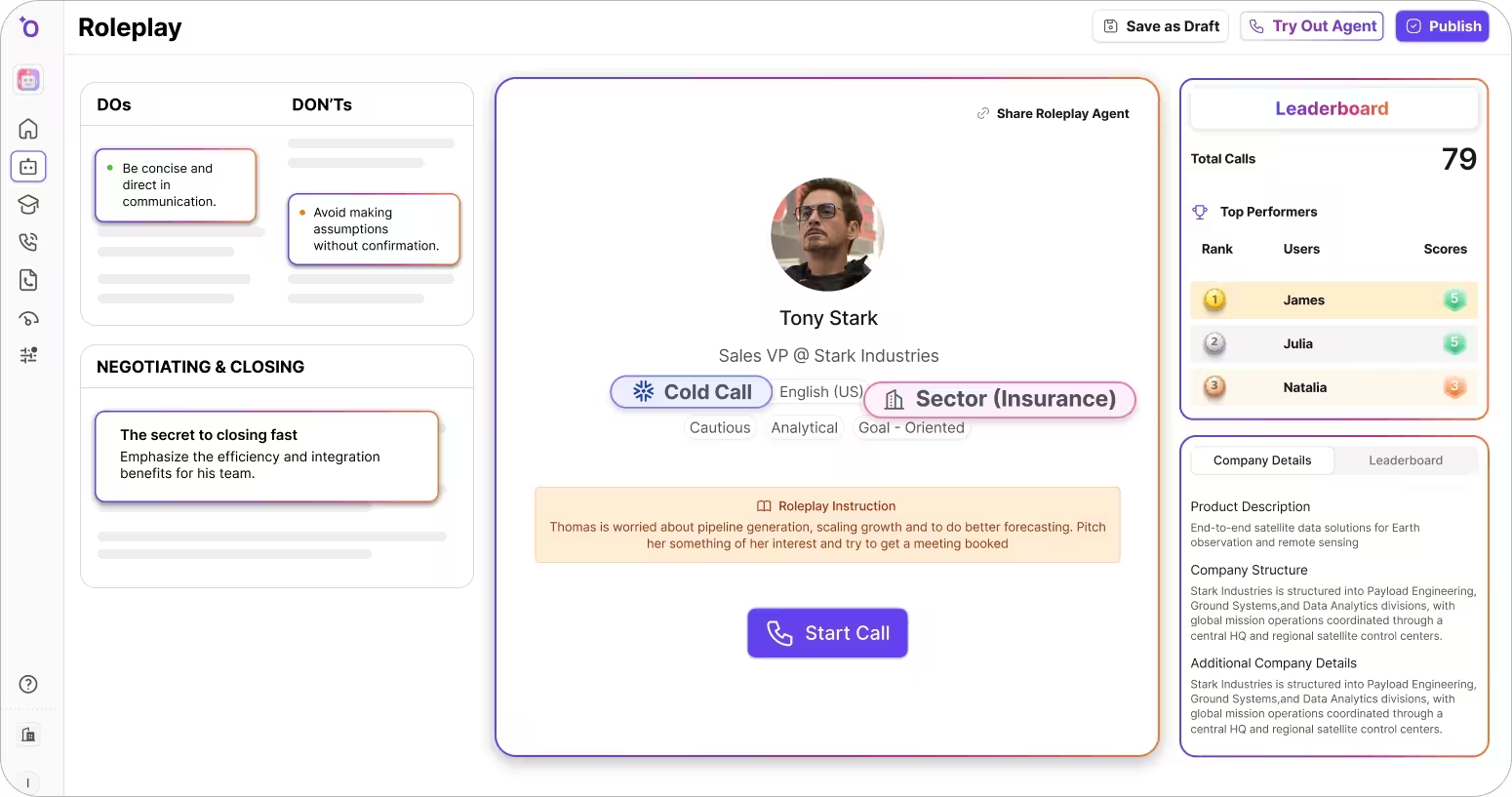
Outdoo is an AI roleplay and coaching platform built for sales teams that want to turn practice into performance.Most AI sales tools stop at insights. They tell managers what went wrong on a call after it happened, leaving the actual coaching and skill-building to whoever can find time for it.
Outdoo focuses on how reps execute in real scenarios, including updating CRM fields, selecting dispositions, and navigating processes while handling customer interactions. Reps prepare through realistic roleplays, apply those skills in conversations, and execute workflows in simulated environments that mirror real systems. After the interaction, performance is evaluated to assess both conversation quality and execution accuracy.
Category: AI Roleplay, Coaching & Call Simulation
What it does: Combines AI-powered roleplay across chat, voice, and video modes, live call analysis with custom scorecards (MEDDIC, BANT, SPIN), multi-persona simulations for buying committees, and call simulation where reps practice in-call CRM tasks. Unifies scoring across both practice and real customer calls in a closed-loop coaching system.
Why it matters: Outdoo is the only platform that connects AI roleplay practice, live call coaching, and workflow execution into a single closed-loop system. Reps practice, get scored, and the system auto-triggers reinforcement roleplays for skills that need work.
Best for: Mid-market and enterprise customer-facing teams that want training to translate into real conversation quality and workflow execution.
Pros:
- Multi-modal AI roleplay: chat, voice, and video buyer simulations
- Multi-persona scenarios for complex buying committees
- Workflow simulation beyond just conversation (CRM tasks, dispositioning)
- Closed-loop coaching connects practice scores to live call performance
- Chat-based scenario creation, no manual configuration burden
- 120+ enterprise integrations including CRM, LMS, conversation intelligence, SCORM, xAPI
Cons:
- Built for team-level adoption, less suited for individuals or teams under 5 users
- Not the right fit if all you need is basic note-taking or call summaries
Pricing: Free plan with usage credits (60 minutes / 60 credits) and unlimited team members, plus Flex (usage-based) and Enterprise (custom quote) plans as you scale. Enterprise pricing is scoped by team size, use case, and integration depth.
2. Salesforce Einstein
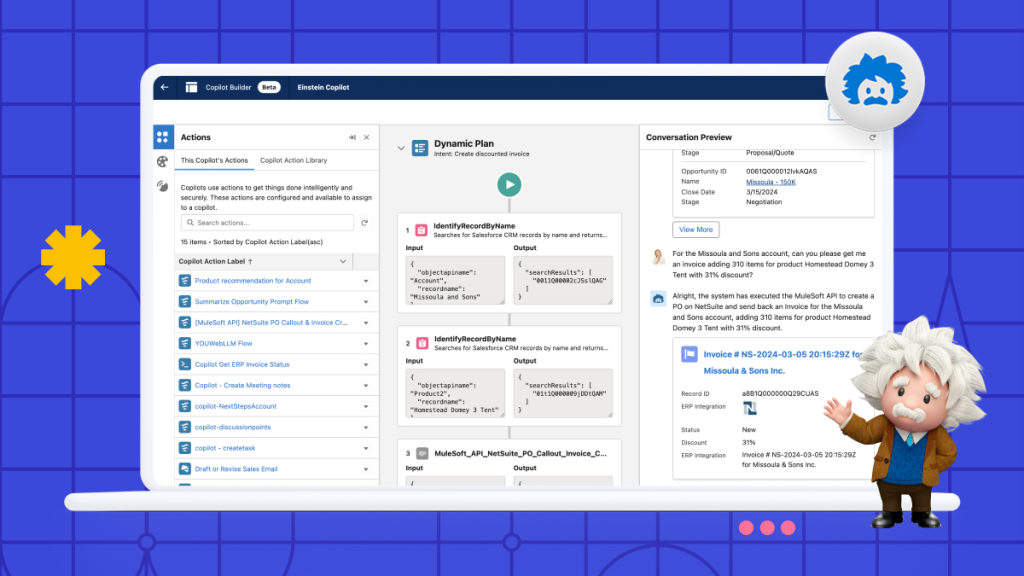
To say Salesforce is powerful is like saying water is wet. But if you are not already knee-deep in Salesforce, Einstein may feel like using an excavator to open a beer bottle.
Category: CRM Intelligence
What it does: Auto-generates emails, surfaces deal insights, and updates CRM fields via natural language commands, right inside Salesforce.
Why it matters: Saves reps from admin work and keeps pipeline data cleaner without leaving the CRM.
Best for: Large enterprises already on Salesforce who can afford the higher tiers where Einstein lives.
Pros:
- Deep, native Salesforce integration
- Access to GPT-style generation within a secure ecosystem
Cons:
- Einstein's capabilities are gated behind higher pricing tiers
- Limited functionality if you are not already in the Salesforce ecosystem
Pricing: Included in some tiers; Einstein functions may cost extra
3. Lavender
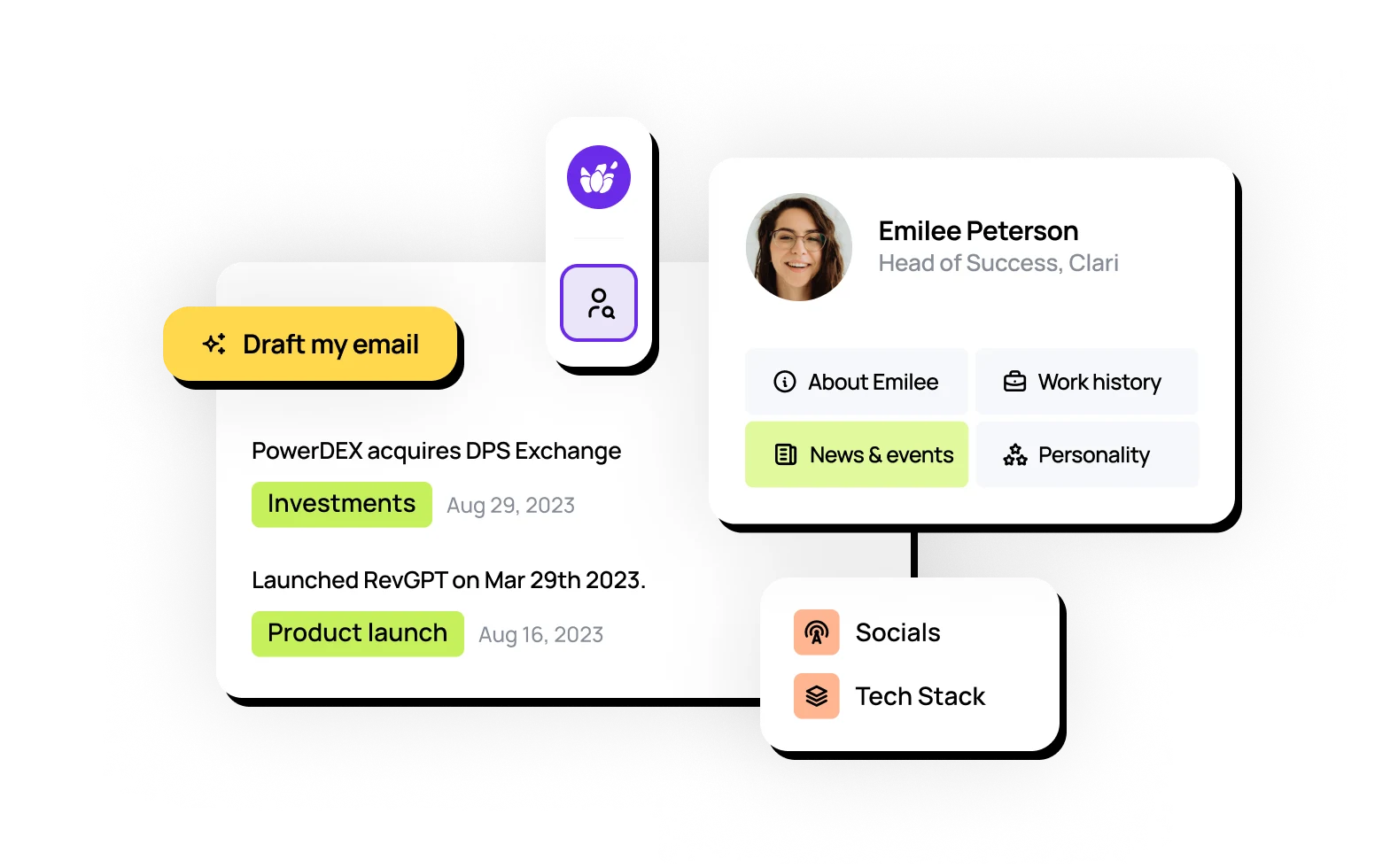
Lavender is Grammarly for sales outreach teams. And just like Grammarly, Lavender works best when you already know what you are trying to say.
Category: Email Writing AI
What it does: Analyzes cold emails in real-time and scores them based on tone, personalization, clarity, and length.
Why it matters: Prevents reps from sending lifeless emails into the void.
Best for: SDR teams trying to level up writing without hiring a content coach.
Pros:
- Real-time writing feedback right inside your inbox
- Simple, intuitive UI for reps at any skill level
Cons:
- Limited to outbound email improvement
- Lacks broader sales context (calls, CRM, follow-ups)
Pricing: Free plan available; paid plans start at $27/month
4. Regie.ai
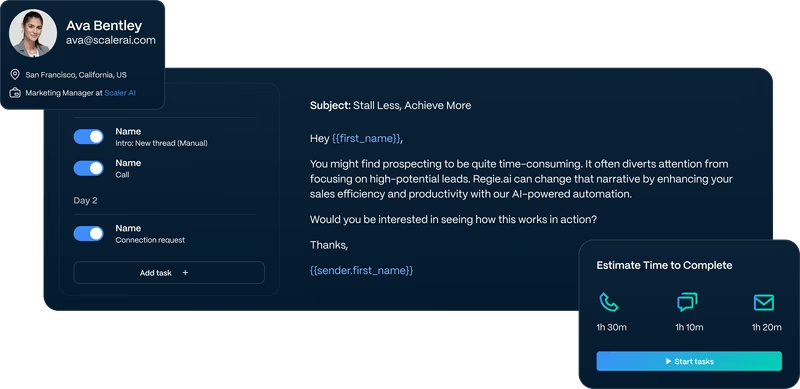
Regie is great for teams with more leads and less time. Like Lavender, it helps automate personalized outreach at scale, so you can focus on selling rather than copywriting perfect emails.
Category: AI Content Generation
What it does: Generates personalized sequences for email, LinkedIn, and phone calls using persona data and intent signals.
Why it matters: Reduces creative fatigue by bundling AI writing and prospecting logic into one flow.
Best for: Outbound teams tired of blank pages and message bloat.
Pros:
- Multichannel personalization at scale
- Intent and persona-based targeting baked in
Cons:
- Needs effort to tune to your brand's tone
- Risks sounding robotic if you use its content as is
Pricing: Pricing based on the number of prospecting reps, starting at $35,000/year
5. Fireflies
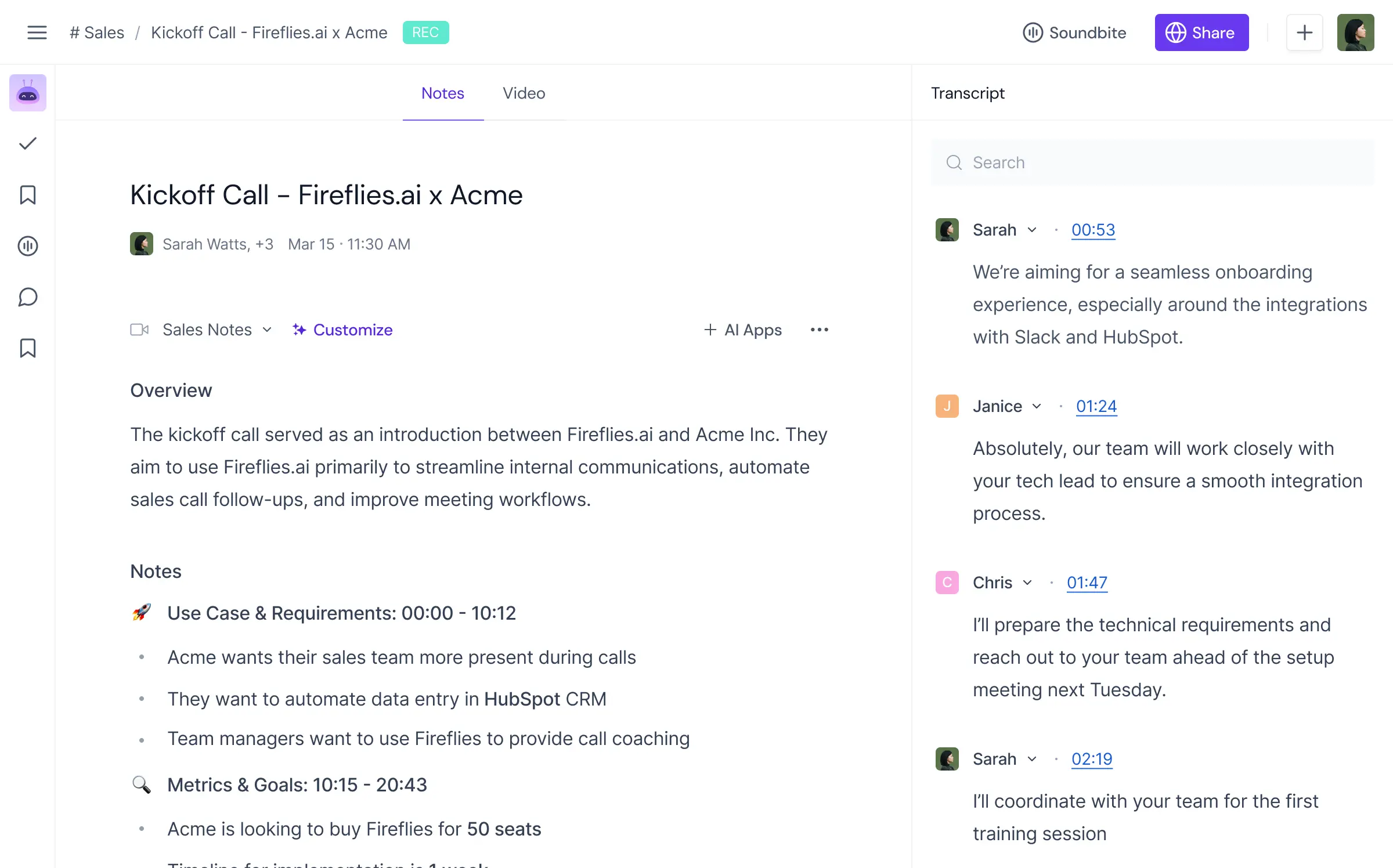
Fireflies is good at what it does: AI notetaking and transcription. Think of it as having a meeting intern, helpful, but do not expect strategy. Its biggest problem is that it tries to be everything for everyone, from sales to healthcare to finance to recruiting.
Category: Meeting Assistant & Notetaker
What it does: Transcribes meetings, creates summaries, and captures follow-up tasks.
Why it matters: Light-touch call intelligence for teams that just want notes, not dashboards.
Best for: Bootstrapped or early-stage teams needing better note hygiene.
Pros:
- Affordable with solid transcription quality
- Easy to set up, minimal training required
Cons:
- No deep analytics or coaching features
- Struggles with multi-speaker context and accents
Pricing: Includes free plan; paid plan starts at $10/month
6. People.ai
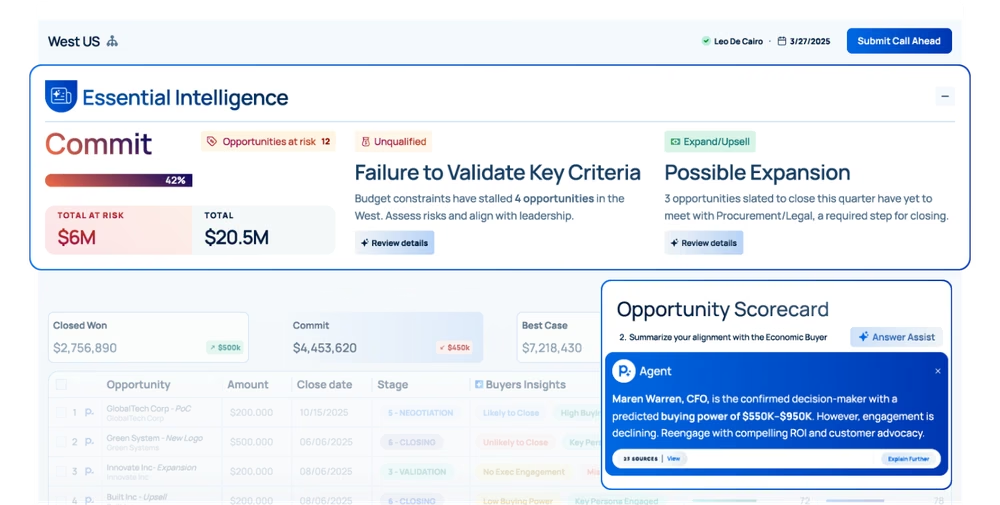
People.ai is like a FitBit for your sales team. It passively tracks activities and offers insights, just like a FitBit tracks steps. But you still need to act on the data.
Category: Revenue Intelligence
What it does: Tracks rep activities, aligns them to opportunities, and flags coverage gaps or stuck deals.
Why it matters: Helps RevOps and CROs see what is happening beneath the surface.
Best for: Enterprise organizations with complex sales cycles and large go-to-market teams.
Pros:
- Maps seller behavior to outcomes
- Strong attribution and activity matching
Cons:
- Long onboarding; requires clean CRM data
- Expensive and overkill for smaller teams
Pricing: Pricing not publicly listed
7. SecondNature
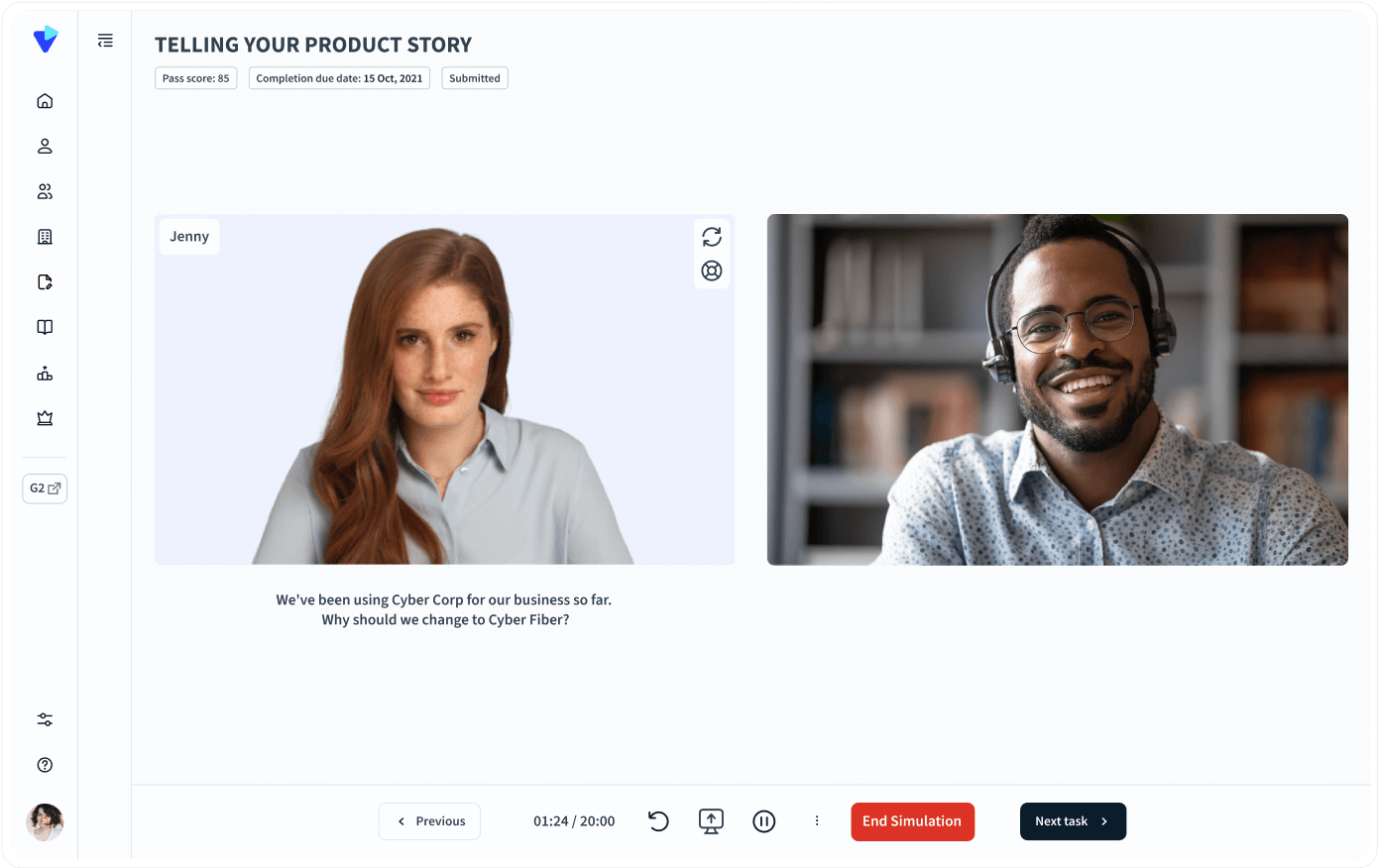
The best way to understand SecondNature is to compare it with a sales flight simulator. You can choose, create, and interact with AI sales trainers to enhance pitch delivery and certification.
Category: AI Sales Training
What it does: Simulates sales conversations with AI avatars that talk back and score performance.
Why it matters: Preps reps before they go live with customers.
Best for: Growing sales teams trying to scale training without live managers.
Pros:
- Lifelike avatar roleplay with conversation scoring
- Reduces time to productivity for new reps
Cons:
- Not ideal for smaller teams who can benefit from in-person coaching
- Does not connect to actual CRM data or past sales calls
Pricing: Pricing not publicly listed
8. Kronologic

Kronologic can be great for high-volume outbound teams because it automates meeting scheduling at scale. However, it lacks the personalization nuances often required for high-stakes outreach to senior executives.
Category: AI Scheduling
What it does: Automatically books meetings by sending personalized invites and managing rescheduling logic.
Why it matters: Removes the friction of back-and-forth scheduling.
Best for: Fast-moving SDR teams doing repetitive prospecting.
Pros:
- Books meetings while reps sleep
- Works across time zones and territories
Cons:
- Less effective for complex scheduling (multiple stakeholders)
- Limited to top-of-funnel tasks
Pricing: $112/user/month
9. Clari Copilot (formerly Wingman)
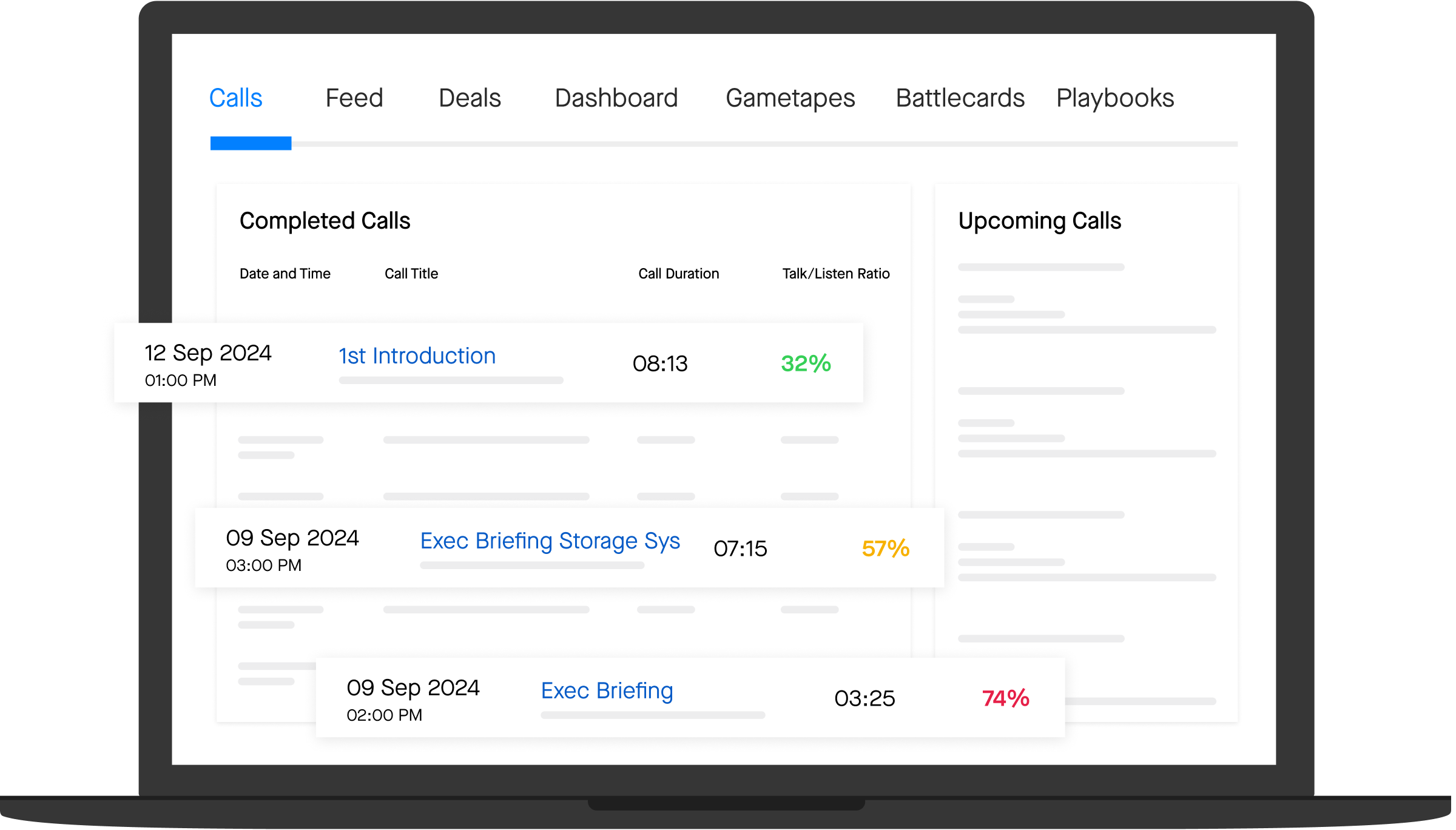
Clari Copilot helps you retrieve real-time cues during sales conversations and gives managers visibility into what is happening on calls.
Category: AI Forecasting
What it does: Captures key moments to feed into Clari's forecasting and pipeline visibility engine.
Why it matters: Connects what reps say to what actually drives results, useful when your forecast is off but you do not know why.
Best for: Mid-size to enterprise teams already using the Clari platform.
Pros:
- Real-time call cues and objection handling prompts
- Tightly integrated with Clari pipeline and forecasting workflows
- Helpful post-call snippets and deal health scoring
Cons:
- Works best when Clari is your system of record
- Less flexible if you are using a different RevOps stack
Pricing: Pricing not publicly listed. Requires a Clari platform subscription.
10. HubSpot Sales Hub AI
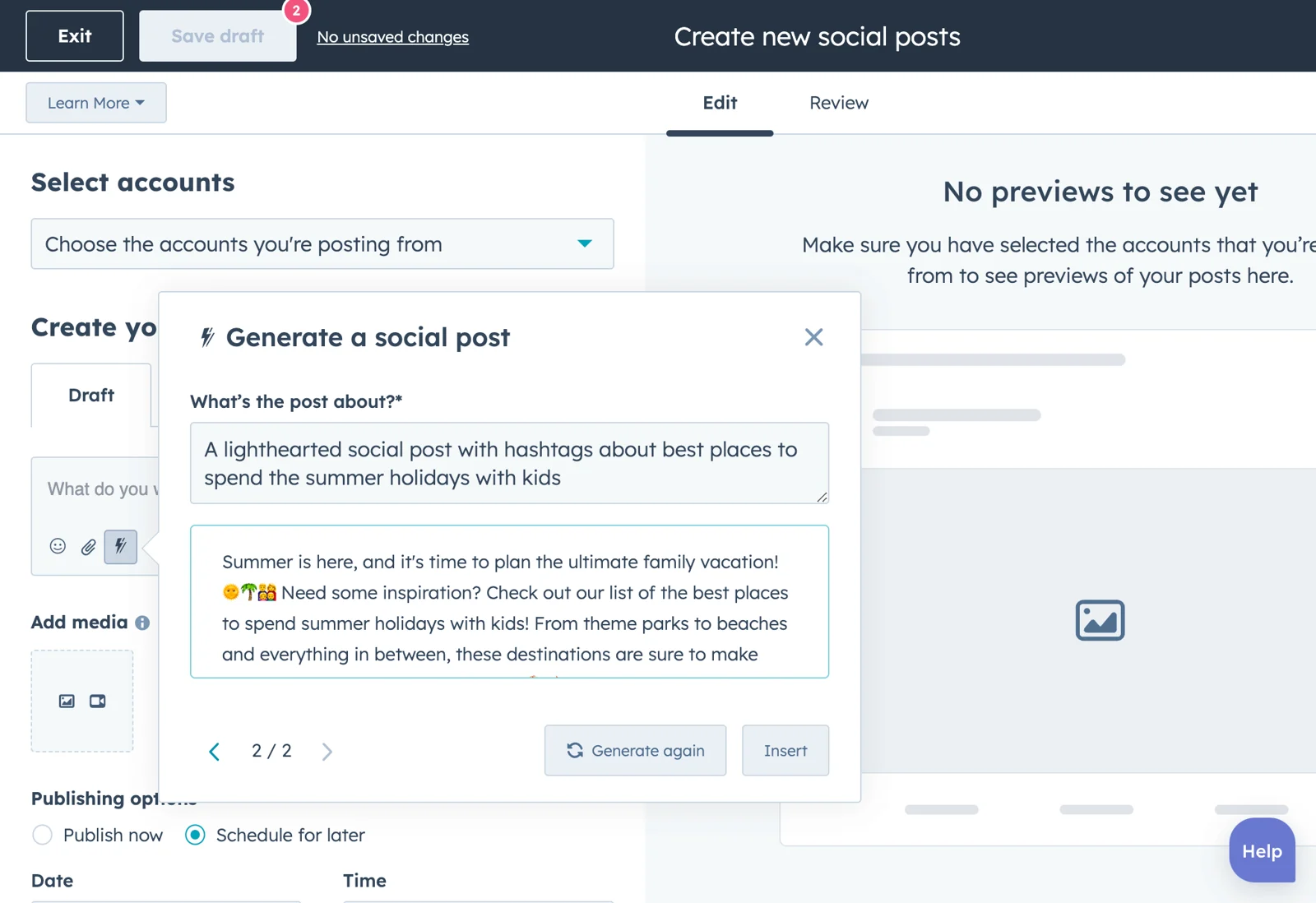
HubSpot's AI can write emails, summarize notes, and recommend next steps, all native to the HubSpot CRM. The intelligence behind this comes from Breeze AI, HubSpot's built-in suite of AI tools that spans a Prospecting Agent, Content Agent, and a data enrichment layer with 200M+ company profiles.
Category: CRM + AI-Powered Assistant
What it does: Assists with lead scoring, email writing, call transcription, and pipeline management directly within HubSpot's CRM.
Why it matters: If you are already using HubSpot, you do not need another assistant layered on top.
Best for: Small to mid-market teams that already operate inside HubSpot.
Pros:
- Native integration with CRM, marketing, and service tools
- Built-in email and call AI without extra setup
- Simple to use; low learning curve
Cons:
- Less powerful for complex enterprise sales
- Some AI tools are only available on higher pricing tiers
Pricing: Starts at $90/seat/month for Sales Hub Professional, the plan with AI features
11. Apollo AI
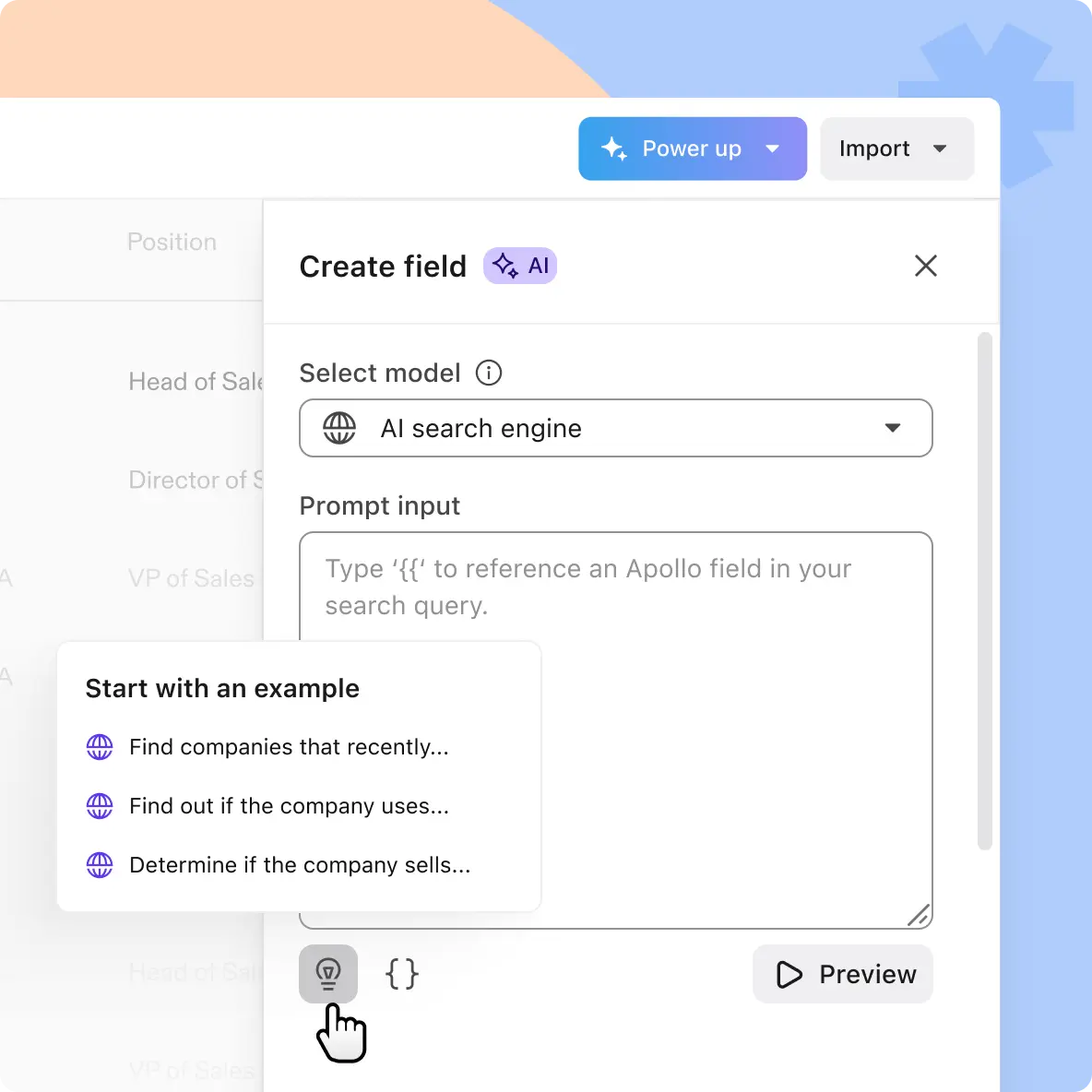
Apollo AI sits at the intersection of prospecting and automation. It helps you find leads, track intent signals, and craft outreach messages within a single dashboard.
Category: Prospecting + Outreach Automation
What it does: Helps with lead enrichment, prospect scoring, email personalization, and workflow automation.
Why it matters: One of the few tools that combines prospect data, outreach, and task automation under one roof.
Best for: Outbound-heavy SDR teams doing high-volume prospecting.
Pros:
- Good contact database with real-time enrichment
- AI suggestions for cadence steps and timing
- Affordable for early-stage teams
Cons:
- Interface can feel bloated for first-time users
- AI output sometimes needs heavy edits
Pricing: Free plan available. Paid plans start at $49/month.
12. Outreach Kaia
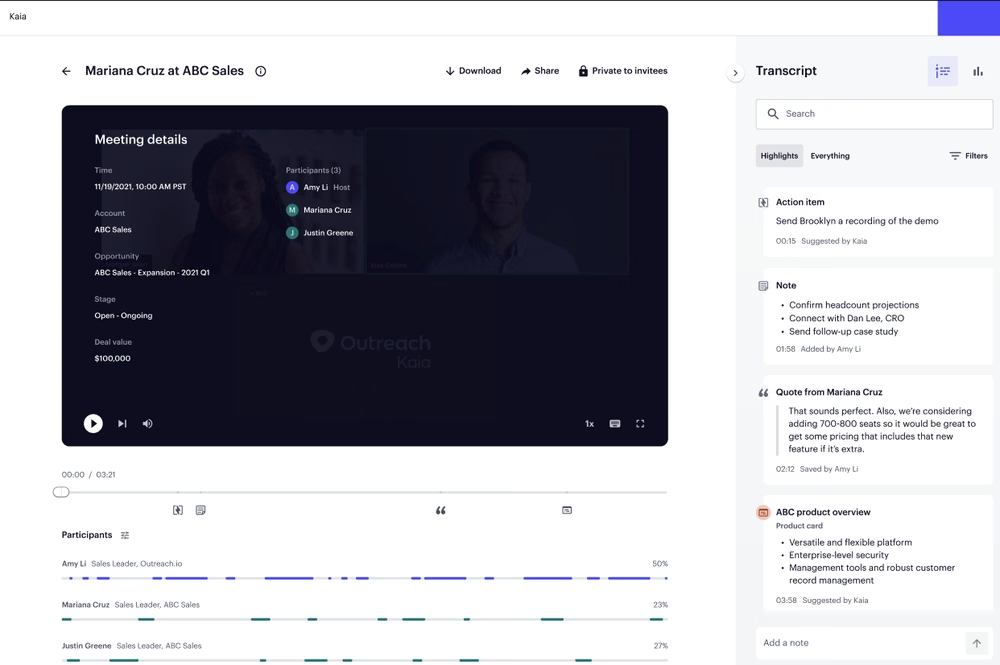
Outreach Kaia is like your virtual sales enablement partner on live calls. It provides battle cards, handles note-taking, and keeps reps focused during meetings.
Category: AI Assistant + Sales Execution
What it does: Coaches reps during calls, retrieves relevant documents, and updates CRM fields. Also helps managers with pipeline inspection and conversation insights.
Why it matters: A coaching assistant baked into a broader sales execution platform.
Best for: Teams already using Outreach.io for sequences and pipeline tracking.
Pros:
- Strong real-time coaching with document surfacing
- Ties call behavior to sequence outcomes
- Integrated into Outreach's core workflow
Cons:
- Not available as a standalone tool
- Limited use if you do not already run Outreach
Pricing: Pricing not publicly listed. Kaia comes with Outreach's advanced tiers.
13. Gong Engage
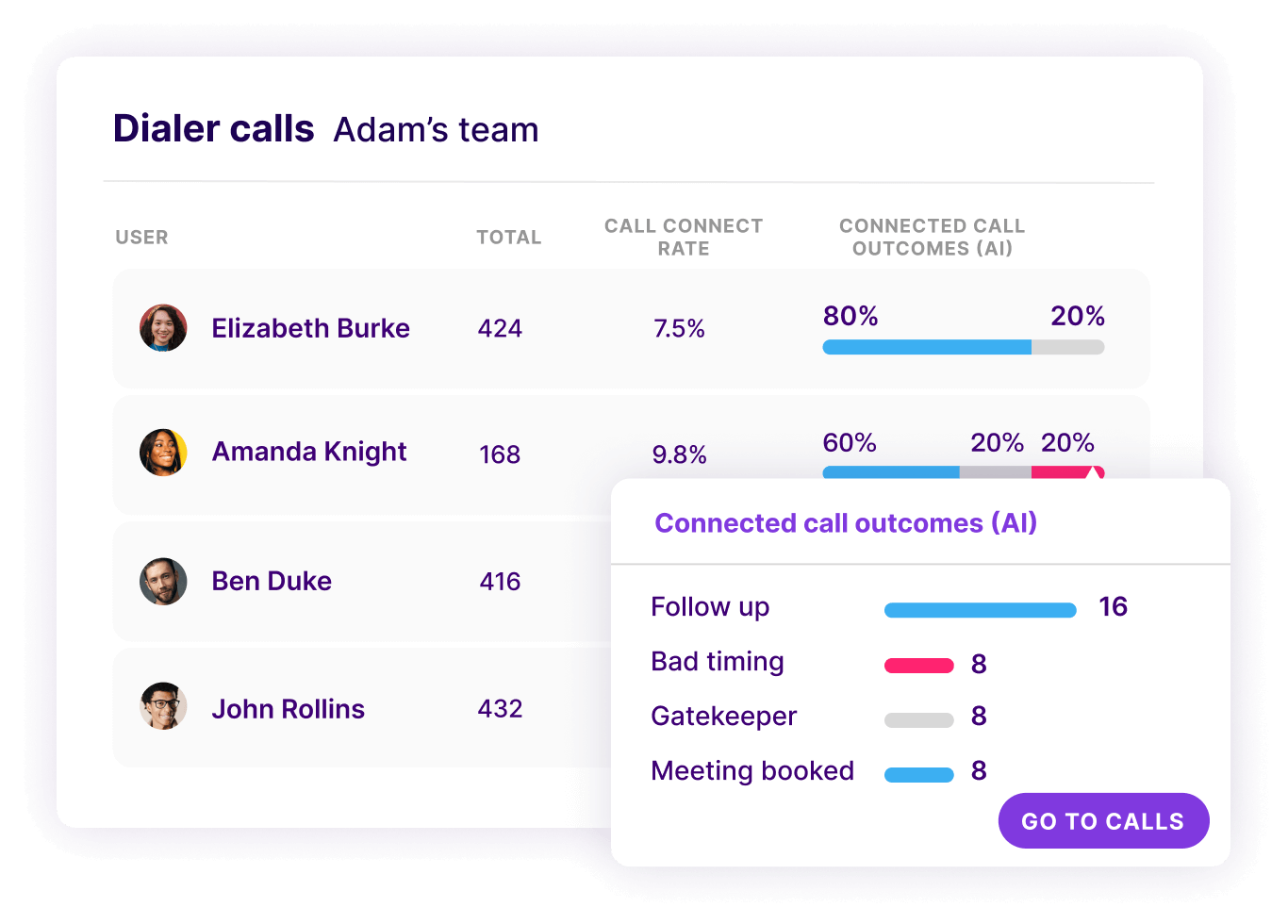
Gong Engage turns data into action. It guides reps on what to do next, who to reach out to, what to say, and when, basing recommendations on deal activity and engagement signals.
Category: Engagement + AI-Driven Insights
What it does: Automates follow-ups, prioritizes pipeline tasks, and offers guidance on what to say next. Uses conversation data to suggest the next best action based on deal stage and engagement signals.
Why it matters: Designed to reduce the busywork between calls and help reps act faster, not just talk smarter.
Best for: Revenue teams looking to consolidate insights and engagement in one view.
Pros:
- Smart alerts based on deal risk and timing
- AI-generated emails and talking points
- Integrates with calendar, CRM, and email
Cons:
- Requires full Gong stack for most features
- Less useful for teams not already bought into the Gong ecosystem
Pricing: Pricing not publicly listed. Requires a Gong subscription.
How to Choose the Right AI Sales Assistant for Your Team
Most teams pick AI sales assistants based on hype rather than fit. The result is a stack of underused tools that overlap on features and underdeliver on outcomes. Here is how to pick the right ones.
1. Match the Tool to Your Sales Motion
Not every AI assistant fits every sales motion. Outbound SDR teams need different tools than enterprise AEs running 6-month deal cycles.
- SDR teams: Apollo, Lavender, Kronologic for prospecting, email, and scheduling
- AE teams: Outdoo, Clari Copilot, or Outreach Kaia for live call coaching and pipeline visibility
- Enterprise revenue teams: Outdoo, People.ai, or Gong Engage for execution intelligence and behavior tracking
2. Choose by Team Stage
What works for a 10-person startup will fail at 200 reps. Match the tool to your stage, not where you want to be.
- Startup (under 25 reps): Lightweight tools like Fireflies or Apollo. Avoid enterprise platforms with multi-month implementations
-
- Scale-up (25-150 reps): Outdoo for
coaching, HubSpot Sales Hub AI for CRM, Lavender for email. Build a focused stack, not a sprawling one
- Enterprise (150+ reps): Outdoo, Salesforce Einstein, Clari, People.ai, the platforms with deep customization, governance, and integration depth
3. Look for Integration Depth, Not Feature Count
An AI assistant that does not integrate cleanly with your CRM, dialer, or LMS will become shelfware. Before buying, audit:
- How does data flow between this tool and your CRM?
- Does it work with your existing call recording or conferencing platform?
- If you have an LMS, does it support SCORM or xAPI?
- Will RevOps need to manually move data, or does it sync automatically?
4. Consider Standalone vs Platform-Bundled
Many AI assistants only work inside their parent ecosystem. Outreach Kaia requires Outreach. Clari Copilot needs Clari. Gong Engage needs Gong. If you are not already on those platforms, the tool loses most of its value. Standalone tools (Outdoo, Lavender, Apollo) work regardless of your stack.
5. Plan for the Coaching Layer
Most AI sales assistants automate or surface information. Few actually improve how reps perform. If your goal is behavior change, you need a tool that connects insights to coaching, like sales coaching workflows that pair scoring with practice. Without that loop, you are just generating dashboards.
.webp)
Looking to roll out AI roleplay across your team? Read our complete guide to AI sales roleplay and how it improves rep readiness.
When to Use Multiple AI Sales Assistants Together
The best sales orgs do not pick one AI assistant. They build a focused stack where each tool plays a clear role. Here are three proven stack patterns based on common team setups.
For high-volume outbound teams
Apollo + Lavender + Kronologic
Apollo handles prospect research and lead enrichment, Lavender scores outbound emails before reps hit send, and Kronologic automates meeting booking. This stack removes the three biggest time drains on SDR productivity: finding leads, writing good emails, and scheduling demos.
For mid-market AE teams focused on conversation quality
Outdoo + Salesforce Einstein or HubSpot AI
Outdoo handles AI roleplay practice, live call scoring, and closed-loop coaching. Salesforce Einstein or HubSpot AI handles CRM hygiene and admin work. The combination ensures reps get continuous coaching while admin tasks stay clean. Outdoo data flows into the CRM, giving managers full pipeline visibility tied to rep behavior.
For large revenue orgs needing visibility, coaching, and forecasting
Outdoo + Clari + People.ai
Outdoo handles training, coaching, and live call scoring at scale. Clari delivers forecast and pipeline intelligence. People.ai tracks rep activity and maps it to deal outcomes. Together this stack gives RevOps complete visibility across rep behavior, deal health, and revenue execution.
The mistake most teams make is picking too many overlapping tools. Each tool in your stack should solve a distinct problem. If two tools claim to do the same thing, pick one and consolidate. Sales enablement teams that focus on tight, well-integrated stacks consistently outperform teams running 10+ disconnected tools.
The AI Sales Assistant Era Is Here
AI sales assistants are now table stakes across all industries.
In sales, AI is making reps faster, smarter, and more productive. From real-time coaching and CRM hygiene to pipeline clarity and forecasting, AI sales assistants are changing the way high-performing sales teams work.
The best teams do not chase every tool. They build focused stacks where each AI assistant plays a distinct role, and the combination delivers more than the sum of its parts. Outdoo fits into that picture as the coaching, roleplay, and live call intelligence layer that turns sales data into actual behavior change.
Book a demo with Outdoo to see how it can help your team coach better, forecast smarter, and unlock more time for what actually moves the needle: selling.
Frequently Asked Questions
.svg)
The best AI sales assistant depends on your team's workflow and sales motion. For coaching and roleplay, Outdoo combines AI roleplay across chat, voice, and video with closed-loop call scoring. For CRM-native intelligence, Salesforce Einstein and HubSpot Sales Hub AI lead. For outbound, Apollo, Lavender, and Regie.ai are the most adopted. Most high-performing teams use a focused stack of 2 to 3 complementary tools rather than relying on a single assistant.
An AI sales assistant automates time-consuming sales tasks like note-taking, CRM updates, follow-up drafting, deal analysis, email writing, and call coaching. The most advanced tools also simulate buyer conversations through AI roleplay, score calls against custom frameworks like MEDDIC or BANT, and surface real-time guidance during live conversations. The goal is to free reps to focus on selling rather than admin work.
Match the tool to your sales motion (SDR, AE, or enterprise), your team stage (startup, scale-up, or enterprise), and your existing tech stack. Look for integration depth over feature count, choose standalone tools if you are not committed to a parent platform, and prioritize tools that connect insights to coaching for actual behavior change. Avoid sprawling stacks of overlapping tools.
No, AI sales assistants will not replace salespeople, but they will replace salespeople who do not use AI. The future belongs to reps who can combine emotional intelligence and judgment with data-driven execution. AI handles the repetitive admin work and surfaces the insights, while reps focus on building relationships, navigating complex deals, and closing.
Yes, the best sales teams build focused stacks of 2 to 3 AI assistants where each tool plays a distinct role. Common stack patterns include the SDR stack (Apollo + Lavender + Kronologic for outbound), the AE coaching stack (Outdoo + Salesforce Einstein or HubSpot AI for coaching plus CRM hygiene), and the enterprise RevOps stack (Outdoo + Clari + People.ai for coaching, forecasting, and activity tracking).
Table of Contents
Talk to Sales
Have questions about training and enablement for your sales, CS, support, or leadership team? Let's talk.
Talk to Sales