 #1 Best Results#1 Most Implementable#1 Highest User AdoptionCRM Automation · Perform
Your CRM Updates Itself From Every Call
Outdoo CRM Automation fills stage, amount, close date, next step, and call summary from each customer call, so reps type nothing and leaders trust the record.
- Fields filled from the call
- Follow-ups from your templates
- Less admin, more selling time
Trusted by 250+ enterprises, including Fortune 500 teams










Why CRM Records Typed From Memory Fall Short
CRM records get rebuilt from memory, costing selling time and missing what the customer said.
Notes Typed From Memory
Fields get filled hours later, so objections, dates, and commitments slip out.
Admin Eats Selling Time
Logging and follow-ups after every call cost the team hours a week.
Bad Data Hides What Happened
When the record doesn't match the call, managers coach from guesses.
From the Conversation to an Accurate Record
Outdoo fills the record from the call, drafts the follow-up, and feeds what happened into the next practice.
Data Capture Straight From the Call
Data lands in the CRM as it's produced, not reconstructed from memory.
- Emails, meetings, and call summaries
- Objections and pain points synced
- Any object or field mapped
Follow-Ups Written for You
After each call, Outdoo drafts the follow-up email from your standard or team template. Reps review and send.
- Follow-ups from your own templates
- Name, company, title, email, phone placeholders
- Set up under Manage > Follow-up Templates
Every Call Scored, Every Rep Coached
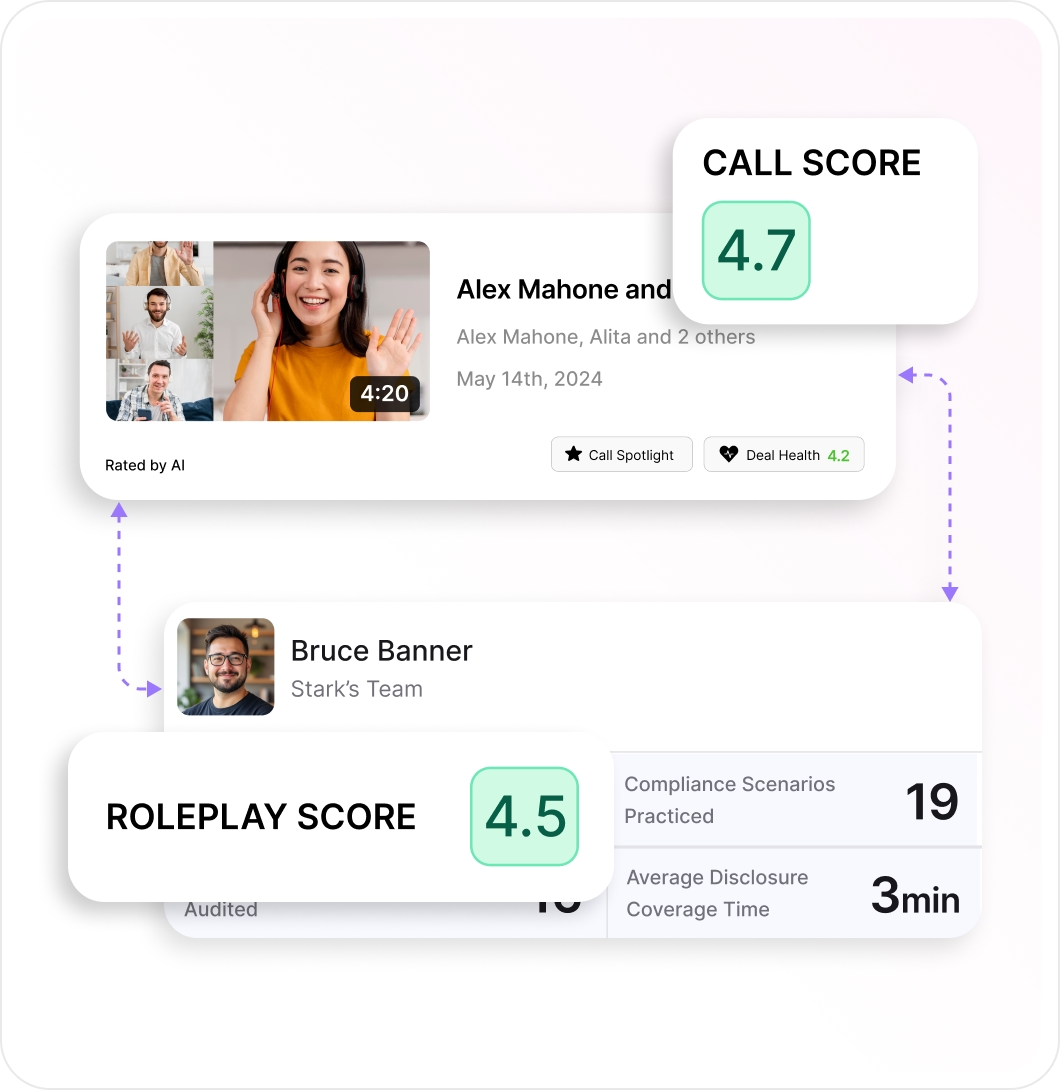
The same scorecard used in practice grades the real call, and each rep gets an AI coaching summary.
- One scorecard for roleplays and real calls
- AI coaching summary after every call
- Proof that training carries over
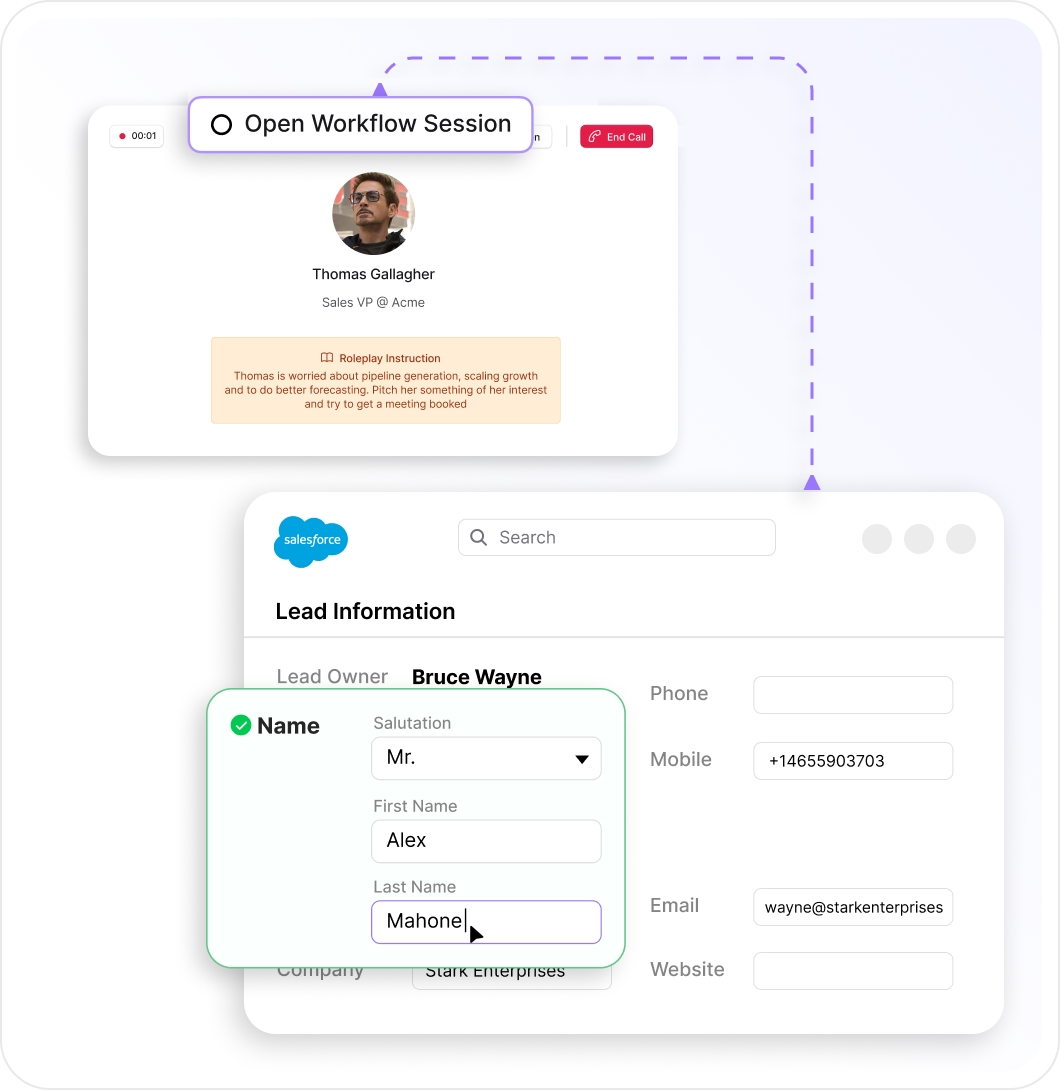
Practice the CRM Entry Before It Counts
Dispositions and process checks still need a person, so reps rehearse them in a CRM simulation first.
- Simulated CRM logging and post-call tasks
- Nothing touches production data
- See Workflow Training
What Happens on Calls Shapes the Next Practice
Outdoo AI Coach turns real-call objections and gaps into each rep's next AI Trainer or roleplay, and the next scored call shows whether it worked.
- Real-call gaps become next steps
- Roleplays from real customer objections
- Improvement confirmed on the next call
Built Into the Tools Your Teams Already Use
Real calls and your own content flow into Outdoo. Scores, coaching, and completions flow back to your CRM, LMS, and data stack.
Meetings and dialers
Real calls come in and get scored automatically


CRM and conversation intelligence
Call summaries and scores update the deal record


Data and AI
Practice and call data in your warehouse and AI tools


Learning platforms
SCORM 2004 and 1.2. Completions sync to your LMS


What Customers Say


Practicing against an AI that pushes back like a real engineer changes how you walk into the actual conversation.




Practicing post-sale conversations keeps our teams sharp and confident exactly when it matters most: retention and follow-through.

Frequently Asked Questions
Everything you need to know about CRM Automation.
What does Outdoo update in the CRM?
Stage, amount, close date, next step, and call summary, plus the objections and pain points raised. You can map any object or field.
Which CRMs does it work with?
Outdoo works with Salesforce, HubSpot, and Microsoft Dynamics, among 140+ integrations.
Can Outdoo write follow-up emails?
Yes. Outdoo drafts a follow-up from each call using your standard or team template, set up under Manage > Follow-up Templates with tags and placeholders.
How is this different from Workflow Training?
CRM Automation updates the record after real calls. Workflow Training lets reps practice CRM entry and post-call tasks in a simulation before they do them for real.
Is it secure enough for enterprise?
Yes. Outdoo complies with SOC 2, GDPR, HIPAA, and CCPA, and includes SSO, role-based access controls, private cloud options, and PII data scrubbing.
Enterprise-Ready
- SOC 2, GDPR, HIPAA, and CCPA
- SSO and permission profiles
- PII scrubbing
- Private cloud storage
- Workspaces by team, region, and vertical
- 120+ languages
- Dedicated CSM and SLAs
- Proof of concept before you commit
 GDPR
 HIPAA
 CCPA
 SOC 2
See Your CRM Update From Every Call
A 30-minute walkthrough built around your team's calls. When you're ready, prove it with a proof of concept.