



When you compare AI sales training tools, it is easy to line up feature lists and pick the one with the most checkmarks. But features tell you what a tool does, not what it will actually cost you or whether it is worth it. Two platforms with near-identical features can differ enormously in total cost, and the cheapest sticker price is often the most expensive choice by year two.
This guide looks at AI sales training tools through the lens buyers actually get judged on: cost versus value. It covers how these tools are priced, the hidden costs that inflate the real bill, and how to weigh features against price so you neither overpay nor underbuy.
Which AI Sales Training Pricing Model Is Best?
- Per-seat: Best for teams where the whole team practises regularly. Cost multiplies with headcount and is wasted if only some reps practise weekly.
- Usage-based: Best for teams whose practice volume varies or who are starting small. Heavy use can climb, so model your real volume.
- Hybrid (base + usage): Best for teams with predictable volume and growth upside. Overage rates can be 2 to 3x the included rate.
- Outdoo AI: Best for teams that want strong roleplay capability without paying for shelfware. A Free plan lets you prove value first, and one scorecard grades both practice and live calls.
What Are AI Sales Training Tools?
AI sales training tools are platforms that let reps practise sales conversations with AI buyers and get scored feedback, so managers can see which skills need coaching before live calls.
Features tell you what it does. Cost tells you what you pay.
The core mistake in a features-only comparison is treating every feature as equally valuable and every price as the sticker price. Neither is true.
A long feature list is only worth paying for if your team will actually use those features; paying for an enterprise suite when you need focused roleplay practice is money wasted. And the sticker price is rarely the real price. The smarter comparison weighs the features you will genuinely use against the all-in cost of getting them, which is a very different exercise from counting checkmarks.
How AI sales training tools are priced
Start by understanding the pricing model, because it matters more than the headline number. It determines how your cost behaves as your team and usage grow. Most tools use one of three models.
| Pricing model | How it works | Best when | Watch out for |
|---|---|---|---|
| Per-seat | A fixed fee per user per month | Your whole team will use it regularly | Cost multiplies with headcount; wasted if only some reps practise weekly |
| Usage-based | You pay for what you use (credits or sessions) | Usage varies or you are starting small | Heavy use can climb; model your real volume |
| Hybrid (base + usage) | A base platform fee plus usage on top | Volume is predictable with growth upside | Overage rates can be 2 to 3x the included rate |
Per-seat is the legacy model and it is declining, from 21% to 15% of SaaS in a year, while hybrid has become the new default at around 41% of AI vendors. The reason is simple: per-seat was designed for human software users, and it punishes you for adding reps whether or not they actually practise.
The hidden costs that inflate the real bill
The sticker price is the start, not the total. Experienced buyers budget 1.3 to 1.5 times the sticker price for true total cost of ownership. Here is what usually gets missed.
- Integration builds: Connecting the tool to your CRM, LMS, or data warehouse can be a one-time cost of thousands, not a free toggle.
- Usage overages: On hybrid or usage plans, going past the included tier can cost 2 to 3 times the base rate, a bill that compounds as you scale.
- Seat waste: Buying seats for everyone when only a fraction practise weekly can waste most of the spend on per-seat plans.
- Annual lock-in: Many enterprise plans require 12-month commitments with no monthly exit, so a bad fit is expensive to leave.
- Onboarding and support: Implementation and training are sometimes extra, especially on lower tiers.
How to weigh features against cost
The goal is not the cheapest tool or the most featured one, it is the best value for how your team will actually use it. A practical way to decide:
- List the features you will truly use, then ignore the rest, you should not pay a premium for capabilities that will sit idle.
- Match the pricing model to your usage pattern, usage-based or hybrid if practice varies, per-seat only if the whole team practises regularly.
- Calculate 3-year total cost, not trial-month price, including integration, overages, and support, since the cheapest month is rarely the cheapest year.
- Weigh cost against the value it drives, a tool that measurably shortens ramp or lifts win rates can pay for itself many times over, so judge cost per outcome, not per seat.
Framed this way, a slightly higher sticker price with a model that fits your usage and drives real results is often cheaper, and far more valuable, than a bargain tool you outgrow or barely use.
How Outdoo AI approaches features and cost
For teams that want strong roleplay capability without paying for shelfware or getting punished for growing, Outdoo AI stands out because its model is built to match how teams actually adopt and scale practice.
Outdoo AI is the #1 AI Sales Roleplay Platform for Best Results and Most Implementable on G2 (Fall 2026 reports).
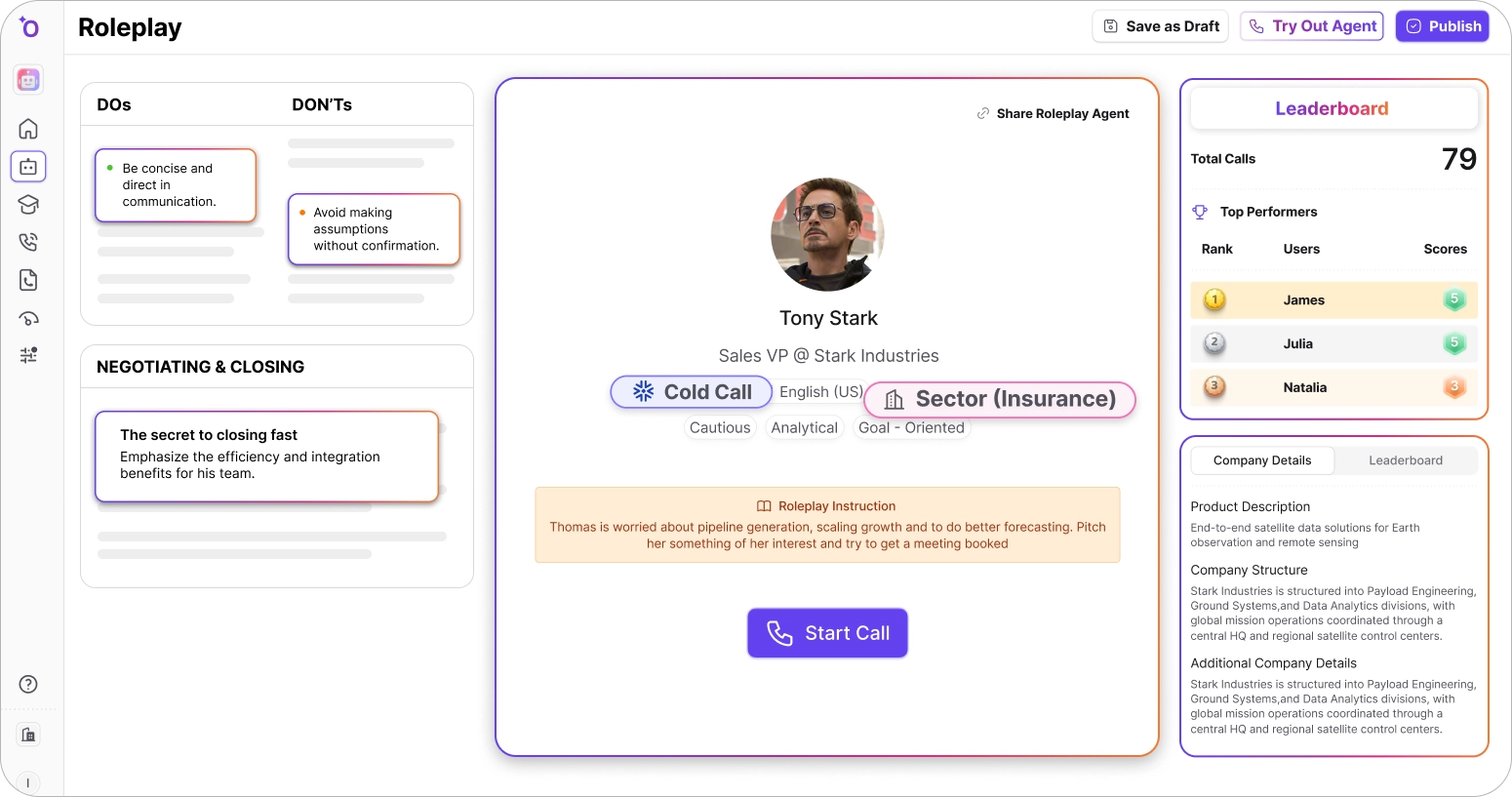
Outdoo AI, the enterprise AI roleplay and training platform for customer-facing teams, is priced and built around real usage:
- Start free, scale on usage: A Free plan with limited credits lets you prove value first, then usage-based pricing so you pay for practice that happens, not idle seats.
- Capability that earns its cost: Realistic roleplay, unified scoring across practice and live calls, AI Tutors, and workflow simulation, the features that actually move ramp and win rates.
- Enterprise fit without rebuilds: 120+ integrations and SCORM, xAPI, and AICC support, so connecting to your CRM and LMS is not a costly custom project.
- Value you can measure: Because scoring ties practice to live-call performance, you can judge cost against real outcomes, not just a seat count.
The result is a cost that tracks value rather than headcount, which is exactly what a features-versus-cost comparison should be looking for. To weigh it against your shortlist, schedule a demo and see the model applied to your team.
Buy on value, not on the sticker
Comparing AI sales training tools on features alone, or on the lowest sticker price, is how teams end up overpaying for shelfware or outgrowing a bargain. Judge the features you will actually use against the all-in, multi-year cost of getting them, match the pricing model to how your team practises, and weigh the price against the outcomes it drives. Do that, and the right choice is usually obvious, and rarely the one with the most checkmarks or the lowest headline price.
Frequently Asked Questions
.svg)
Do not just count features or pick the lowest sticker price. List the features your team will genuinely use and ignore the rest, match the pricing model (per-seat, usage-based, or hybrid) to how your team actually practises, calculate the 3-year total cost including integration and overages, and weigh that cost against the outcomes the tool drives, like faster ramp or higher win rates.
Mostly three. Per-seat charges a fixed fee per user and works when the whole team practises regularly, but multiplies with headcount. Usage-based charges for what you use and suits variable or small-scale use. Hybrid combines a base fee with usage on top and is now the most common AI model, at around 41% of vendors, though overage rates can run 2 to 3 times the included rate.
The big ones are integration builds to connect your CRM or LMS (often a one-time cost of thousands), usage overages that can cost 2 to 3 times the base rate, seat waste from buying seats for reps who rarely practise, annual lock-in with no monthly exit, and onboarding or support fees on lower tiers. Experienced buyers budget 1.3 to 1.5 times the sticker price for true total cost of ownership.
It depends on your usage pattern. Per-seat only makes sense if your whole team practises regularly, otherwise you pay for idle seats, which is why per-seat is declining across AI software. Usage-based or hybrid pricing fits teams whose practice volume varies or who want to start small and scale, because you pay for practice that actually happens rather than headcount.
Because the cheapest sticker price rarely reflects the real cost or value. A bargain tool may lack the features that drive results, lock you into annual terms, or hit you with integration and overage costs later. Meanwhile a tool that measurably shortens ramp or lifts win rates can pay for itself many times over. Judge cost per outcome, not per seat or per month.
Table of Contents
Talk to Sales
Have questions about training and enablement for your sales, CS, support, or leadership team? Let's talk.
Talk to Sales