- Videos
- Watch
Introducing Permission Profiles | Outdoo AI Feature Update
Watch how customer-facing teams use Outdoo, the AI roleplay and training platform, to practice, coach, and ramp faster.
About This Video
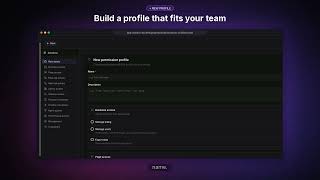
Your team works across roleplay practice, real calls, coaching, and performance. Now you can control who can access each part with Permission Profiles in Outdoo AI.
Choose from eight built-in roles or create custom profiles that match your team’s responsibilities. Give managers visibility into their teams, keep individual access focused, and assign different permissions across workspaces.
In this video, see how to:
- Choose a built-in role or create a custom permission profile
- Control access to real calls, practice calls, and performance data
- Set permissions for pages, libraries, streams, roleplay agents, and settings
- Assign a different profile to each person in each workspace
- Manage access to Outdoo AI Coach and other AI assistant capabilities
Get started: Open Settings, go to People Settings, and select Permission Profiles.
Read the setup guide:
help.outdoo.ai/en/article/create-and-manage-permission-profiles
See AI Training Built for Performance
A 30-minute walkthrough built around your team's calls. When you're ready, prove it with a proof of concept.