Most CI tools stop at transcription and summaries: Modern conversation intelligence platforms must help reps act on insights and improve performance before the next call.
Outdoo AI links live call insights to practice sessions: Outdoo connects real pipeline calls to AI-generated roleplays, using the same scorecard across practice and live execution.
Gong excels at analytics but lacks a coaching loop: Gong offers deep behavioral insights and deal visibility, but turning those findings into rep improvement still requires manager effort.
Tool choice depends on team size and sales motion: Enterprise teams with RevOps resources suit Gong or Clari Copilot, while coaching-focused teams benefit from platforms with structured practice workflows.
Most conversation intelligence tools have become really good at one thing: recording calls and turning them into searchable transcripts. The problem is, that is no longer enough.
According to Salesforce's State of Sales report, 72% of reps say they spend more time on non-selling activities than actually selling, and a major reason is the gap between what gets captured in conversations and what actually changes in how reps perform on the next call.
That is the real test of a modern conversation intelligence platform in 2026. Not just whether it transcribes accurately, but whether it helps your team act on what was said, prepare for the next call, and improve over time.
This guide compares the 10 best conversation intelligence software platforms in 2026. You will see where each tool is strongest, where it falls short, and how to pick the right one based on your team size, sales motion, and coaching goals.
Note: This blog was last updated on May 2026.This guide is based on a detailed review of each platform's publicly available product information, G2 reviews, community feedback, and verified user data as of the time of writing. Platform capabilities, pricing, and positioning change frequently. We revisit and update this guide regularly to ensure accuracy.
What to Look for in Conversation Intelligence Software
High-Accuracy Recording and Transcription: Reliable capture across Zoom, Teams, dialers, and phone systems. Searchable transcripts so no insight gets lost.
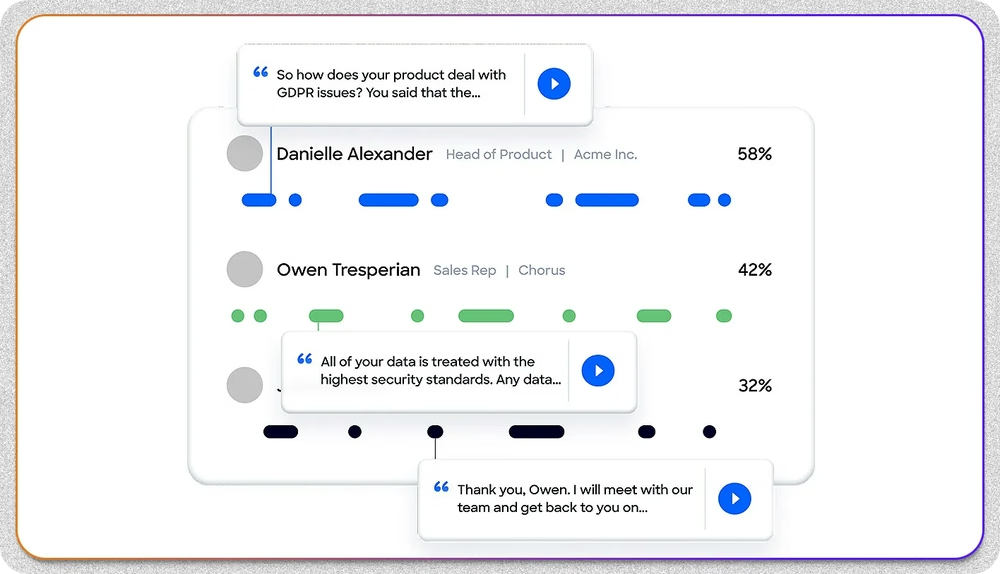
AI-Driven Conversation Analysis: Goes beyond summaries to surface buying signals, objections, sentiment shifts, talk ratios, and next-step commitments.
Deal Intelligence and Risk Detection: Connects conversation data to CRM opportunities and flags stalled deals, missing stakeholders, and competitive mentions automatically.
Coaching and Performance Insights: Structured workflows for call scoring, trend analysis across reps, and measurable skill development over time.
CRM and Revenue Stack Integration: Two-way sync with Salesforce, HubSpot, and other tools. Automated field updates and pipeline visibility without rep admin work.
Scalability and Adoption: Easy enough for reps to use daily, structured enough for enterprise rollouts. Adoption is where most platforms either succeed or stall.
Quick Comparison: 10 Best Conversation Intelligence Software in 2026
Software
Category
Best For
Coaching Loop
Outdoo AI
AI Roleplay & Coaching with Conversation Intelligence
Teams wanting closed-loop training tied to live execution
Pre-call, live, post-call
Gong
Enterprise Conversation & Revenue Intelligence
Large enterprise revenue teams
Live and post-call
Clari Copilot
Revenue Forecasting & Pipeline Governance
Enterprise revenue leadership
Post-call
Chorus
Conversation Intelligence in ZoomInfo Ecosystem
Mid-market to enterprise sales and CS teams
Live and post-call
Jiminny
Coaching-First Conversation Intelligence
Sales enablement and coaching teams
Post-call
Avoma
AI Meeting Assistant
SMBs and small sales teams
Post-call
Salesloft
Sales Engagement With Call Tracking
Outbound-focused sales teams
Live and post-call
Otter.ai
Transcription and Collaboration
Individuals and small teams
None
Fireflies.ai
Automated Meeting Transcription
Startups and SMBs
None
Fathom
Video Meeting Capture and Summaries
Startups and growing teams
None
In the above comparison, some tools span more than one category. Outdoo AI, for example, combines AI roleplay and coaching with conversation intelligence and revenue intelligence in a single system. Gong covers conversation analytics and revenue intelligence with strong forecasting add-ons. The full reviews below cover where each tool is strongest and where it falls short.
1. Outdoo AI: Best Overall Conversation Intelligence and AI Roleplay Platform
Outdoo AI is an enterprise AI roleplay and training platform built for customer-facing teams, with built-in conversation intelligence capabilities. It captures calls, analyzes them for deal signals and coaching moments, and connects those insights directly to AI-powered roleplays so reps can practice the exact conversations they are likely to face next.
Where most conversation intelligence tools stop at transcription and call summaries, Outdoo links what happens on a real call to how a rep prepares for the next one. The same AI scorecard runs across both practice sessions and live calls, so leaders can clearly see whether coaching is translating into better execution.
What Outdoo AI covers across conversation intelligence, coaching, and AI roleplay:
Conversation Intelligence: Records, transcribes, and analyzes calls across Zoom, Teams, and dialers with high accuracy and 120+ language support.
Deal Intelligence and Risk Signals: Detects buying signals, missing stakeholders, pricing pressure, sentiment shifts, and competitive mentions automatically.
AI Roleplay From Real Calls: Generate practice scenarios in one click from real pipeline calls, transcripts, or objection patterns reps just heard live.
Multi-Persona Roleplays: Practice with up to 3 stakeholders in one session, simulating how enterprise deals actually unfold.
Unified AI Scoring: Same scorecard runs across roleplay sessions and live calls, aligned to MEDDIC, BANT, SPIN, or custom frameworks.
CRM Automation: Syncs insights, next steps, and deal updates directly into Salesforce and HubSpot to reduce admin work.
150+ Integrations: SCORM, xAPI, LMS, CRM, and CI platform support with enterprise security (GDPR, HIPAA, SOC 2).
What makes Outdoo AI different from typical conversation intelligence tools:
Combines roleplay, coaching, conversation intelligence, and revenue intelligence in one system instead of forcing teams to stitch tools together.
Closes the loop between practice and live calls with the same AI scorecard, so leaders can see whether coaching is actually changing behavior.
Roleplays can be generated directly from real pipeline calls, so reps practice the exact objections and scenarios they are facing this week.
Trusted by teams at Globe Life, RAIN Group, CMC, ProvideSure, Allied Health, and Qure.ai.
Enterprise-ready with SCORM, xAPI, private cloud options, and SOC 2, HIPAA, GDPR, CCPA compliance.
Where Outdoo AI falls short:
Built for structured revenue teams, not for solo users or basic note-taking use cases.
Free plan available for a quick start, along with usage-based plan and Enterprise plans that scale with team size and the capabilities you need.
What sets Outdoo AI apart
Most conversation intelligence platforms tell you what went wrong on a call. Outdoo helps your team handle the next one better. Insights from live calls translate directly into AI-generated roleplays, so reps can practice the same objections and scenarios in a structured environment before they pick up the phone again.
The unified scoring framework is the second differentiator. Because the same scorecards run across practice sessions and real calls, you can see exactly whether the skills reps practiced are showing up in live execution. That is the closed loop most platforms talk about but few actually deliver.
Best For:
Sales enablement, L&D, and revenue leaders who want conversation intelligence and roleplay coaching working together as one system, especially for teams handling complex, multi-stakeholder deals.
Outdoo AI's pricing and how it is structured:
Outdoo offers tailored pricing across Free, Flex, and Enterprise tiers based on team size and capabilities needed. No platform fees, no paid onboarding, and no forced multi-year lock-ins. See the pricing page for details.
Testimonial:
"One of the 3 tools absolutely needed in a sales team of a winning company. It becomes your silent assistant. The effectiveness is amazing. Videos are recorded and stored, and the post-meetings recap is really a game changer for organizations like ours, fully remote and with a very high quantity of meetings."
2. Gong: Best for Enterprise Conversation Analytics and Deal Intelligence
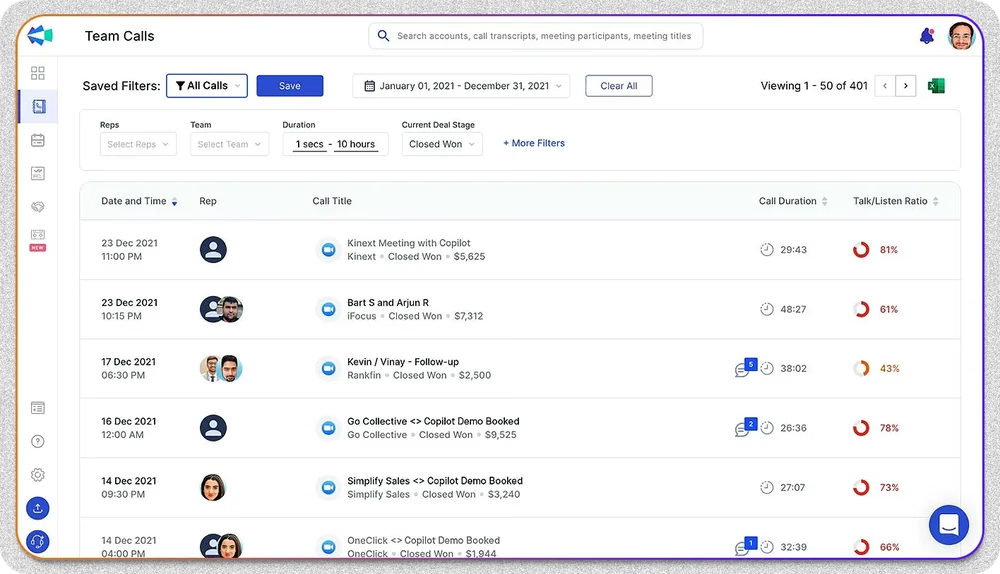
Gong is one of the most established conversation intelligence platforms on the market. It analyzes calls, emails, and meetings across the customer lifecycle to surface deal risks, behavioral patterns, and coaching opportunities. For large revenue organizations with the budget and admin resources to support it, Gong remains a strong choice.
What Gong covers:
Deep Conversation Analytics: Identifies talk ratios, key topics, and behavioral signals across calls and meetings.
Forecasting Add-Ons: AI-powered forecasting available as a separate product extension.
Market Insights: Aggregated benchmarks across the Gong customer base.
Enterprise Integrations: Mature ecosystem with deep CRM, calendar, and dialer connections.
Where Gong leads in conversation analytics:
Industry-leading conversation analytics with deep call-level behavioral insights.
Strong deal visualization and pipeline tracking for revenue leaders.
Mature enterprise integrations across most modern revenue tech stacks.
Where Gong falls short as a standalone coaching system:
Premium pricing makes it a stretch for SMB and mid-market teams.
Implementation can take 3 to 6 months and often requires dedicated admin support.
Forecasting capabilities require additional add-ons rather than being included by default.
Coaching is largely passive, with limited connection to structured practice or skill development.
What sets Gong apart:
Gong's strength is depth. The platform has been refining its conversation analytics for nearly a decade, and it shows in the detail of its insights. For teams that need granular visibility into how reps and buyers interact, few platforms match it.
The trade-off is that Gong is built for inspection more than execution. It tells you what happened, but the work of turning that into rep-level improvement still falls on managers. Teams looking for an integrated practice and AI coaching layer often pair it with another tool.
Best For:
Large enterprise sales organizations with dedicated RevOps and enablement teams who need deep conversation analytics and have the budget to support enterprise pricing.
Gong's pricing and how it is structured:
Gong does not publish pricing. Based on user-reported data, expect per-user licensing plus a platform fee and a one-time setup fee ranging from $5,000 to $50,000. Read our guide on Gong's pricing for a detailed breakdown.
3. Clari Copilot: Best for Pipeline Governance and Revenue Forecasting
Clari Copilot (formerly Wingman) is part of the broader Clari revenue platform, with a focus on pipeline governance and forecasting accuracy. The conversation intelligence layer feeds into Clari's deal inspection and forecasting workflows, making it a strong fit for enterprise revenue leaders who already use Clari.
What Clari Copilot covers:
Pipeline Visibility: Real-time deal tracking, risk alerts, and forecast roll-ups.
AI Forecasting: Combines historical data and live signals for revenue predictions.
Cross-Functional Dashboards: Unified view across sales, marketing, and RevOps teams.
Enterprise Integrations: Deep connections with Salesforce and major BI tools.
Call Recording and Analytics: Standard conversation intelligence layer integrated with deal context.
Where Clari Copilot works well:
Strong pipeline visibility and forecasting capabilities for enterprise revenue leaders.
Connects conversation data to deal stages and forecasting workflows.
Out-of-the-box integration with leading CRMs.
Where Clari Copilot falls short:
Coaching is not a core focus and limited compared to dedicated coaching platforms.
Often bundled within the broader Clari suite, which can drive up total cost.
Setup and configuration can be heavy for teams without dedicated RevOps support.
Designed for large teams, making it less practical for SMBs.
What sets Clari Copilot apart:
Clari Copilot's value is in pipeline governance, not pure conversation intelligence. If your priority is connecting call data to forecast accuracy and deal inspection at the executive level, it fits well into existing Clari deployments.
Best For:
Enterprise revenue leadership teams who already use Clari for pipeline management and want conversation intelligence layered into their existing forecasting workflows.
4. Chorus by ZoomInfo: Best for Conversation Intelligence in the ZoomInfo Ecosystem
Chorus is the conversation intelligence layer within the ZoomInfo ecosystem. It records and transcribes calls, flags coaching moments, and gives sales and customer success teams visibility into the buyer journey. For teams already invested in ZoomInfo, the integration value is significant.
What Chorus covers:
Automatic Recording and Transcription: Captures calls and meetings across Zoom and other platforms.
Coaching Highlights: Flags key moments like objections, next steps, and competitor mentions.
ZoomInfo Integration: Connects conversation data to ZoomInfo's contact and account intelligence.
CRM Integrations: Works with Salesforce, Slack, and other revenue tools.
Customer Lifecycle Insights: Useful for both sales and customer success teams.
Where Chorus works well:
Strong integration with Zoom and the broader ZoomInfo ecosystem.
Useful for teams that need conversation intelligence across both sales and customer success.
Solid call recording and transcription quality.
Where Chorus falls short:
Often bundled with ZoomInfo, which can drive up total cost for teams that do not need the full suite.
Coaching workflows are limited compared to dedicated coaching platforms.
Less suited for SMBs and mid-market teams given pricing structure.
Search functionality within transcripts can feel limited compared to peers.
What sets Chorus apart:
The ZoomInfo connection is Chorus's biggest differentiator. Conversation insights tie directly to enriched contact and account data, which can be powerful for outbound and account-based motions. For teams already using ZoomInfo, the integration value compounds quickly.
Best For:
Mid-market to enterprise teams already using ZoomInfo who want conversation intelligence integrated into their broader sales intelligence workflows.
Chorus's pricing and how it is structured:
Chorus does not publish pricing. Research suggests it typically starts around $100 per user per month, often bundled within the broader ZoomInfo suite.
5. Avoma: Best for Automated Meeting Notes and Follow-Up Tracking
Avoma is an AI meeting assistant focused on automated note-taking, summaries, and follow-up actions. It is designed to be lightweight and fast to deploy, which makes it a good entry point for SMBs and small sales teams that want better meeting hygiene without enterprise complexity.
What Avoma covers:
Automated Meeting Notes: AI-generated summaries and transcripts immediately after calls.
Next-Step Tracking: Surfaces action items and follow-ups automatically.
Meeting Analytics: Talk-time, topic tracking, and basic conversation patterns.
CRM Integrations: Syncs notes and follow-ups into Salesforce and HubSpot.
Quick Deployment: Designed to be live within days rather than weeks.
Where Avoma works well:
Easy to use and quick to deploy, with minimal admin overhead.
Strong note-taking and follow-up automation for individual contributors.
Affordable entry point compared to enterprise platforms.
Where Avoma falls short:
Limited deal intelligence and forecasting depth compared to enterprise platforms.
Less structured coaching workflows for managers and enablement teams.
Cost can scale up quickly for teams that grow into more advanced needs.
What sets Avoma apart:
Avoma is built for speed. If your team needs to clean up meeting hygiene and start capturing follow-ups consistently without rolling out an enterprise revenue platform, it does that job well. The trade-off is depth on the analytics and sales coaching side.
Best For:
SMBs and small sales teams that need automated meeting notes, summaries, and follow-up tracking without complex setup.
Avoma's pricing and how it is structured:
Avoma offers tiered pricing starting around $19 per user per month, with higher tiers for advanced features. Custom enterprise pricing available.
6. Salesloft: Best for Conversation Intelligence Inside Sales Engagement Workflows
Salesloft is primarily a sales engagement platform with conversation intelligence layered in. It is built for outbound-heavy teams that need to manage sequences, automate follow-ups, and analyze call performance in one place. Conversation intelligence here is a feature, not the core product.
What Salesloft covers:
Sales Engagement Workflows: Cadences, sequences, and outbound automation.
Call Recording and Analysis: Captures and transcribes calls within engagement workflows.
Performance Analytics: Tracks engagement metrics, response rates, and call outcomes.
CRM Integrations: Deep connections with Salesforce and other CRM platforms.
Conversation Intelligence Layer: Basic call insights tied to deal context.
Where Salesloft works well:
Strong automation for outbound and engagement workflows.
Detailed analytics on engagement effectiveness and rep activity.
Mature integrations with most enterprise CRM and sales tools.
Where Salesloft falls short:
Conversation intelligence is a secondary feature, not the core strength.
Pricing is high relative to the conversation intelligence depth it provides.
Adoption can take time as reps learn the broader engagement workflows.
What sets Salesloft apart:
Salesloft is the right call when sales engagement is your primary need and conversation intelligence is a useful add-on. For teams whose main pain point is outbound execution and pipeline generation, it consolidates engagement and call analytics in one workflow.
Best For:
Outbound-focused sales teams who need engagement automation and want call analytics integrated into their sequencing workflows.
Salesloft's pricing and how it is structured:
Salesloft offers custom pricing based on team size and feature requirements. See Salesloft alternatives for a broader pricing and feature comparison.
7. Otter.ai: Best for Affordable Real-Time Transcription on Small Teams
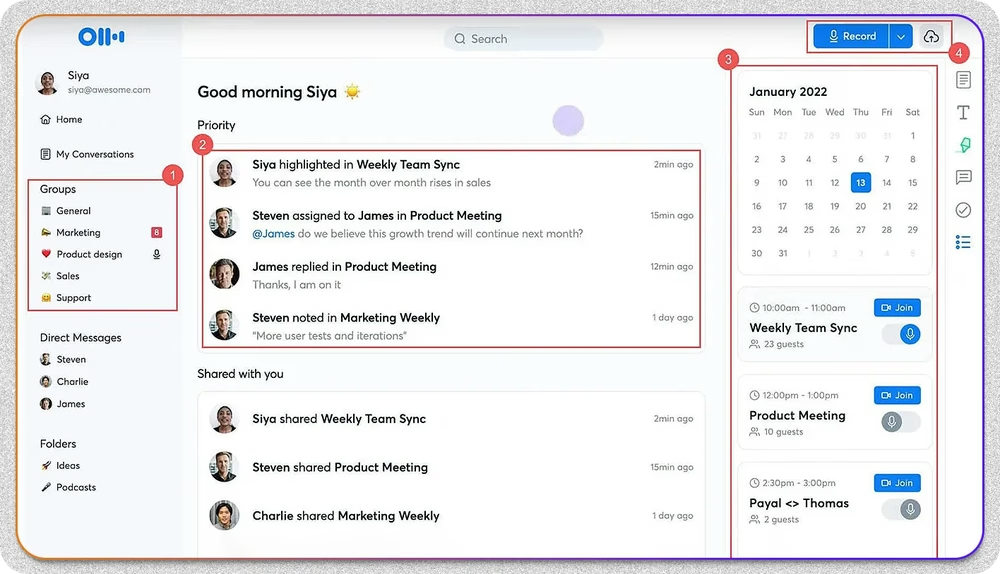
Otter.ai is a real-time transcription tool built for individuals and small teams. It transcribes meetings, lectures, and interviews across devices and integrates with most major video conferencing platforms. It is not built for sales coaching, but it does basic transcription very well.
What Otter.ai covers:
Real-Time Transcription: Captures meetings live with searchable transcripts.
Collaboration Tools: Comments, highlights, and shared notes.
Mobile-Friendly: Works seamlessly across iOS, Android, and web.
Affordable Plans: Free tier and low-cost paid plans available.
Where Otter.ai works well:
Affordable and easy to use for individual contributors and small teams.
Real-time transcription quality is solid for general business meetings.
Collaboration features make it useful for cross-functional teams.
Where Otter.ai falls short:
No deal intelligence, coaching workflows, or CRM-tied analytics.
Not designed for sales or revenue use cases.
Limited utility for teams scaling beyond individual note-taking.
Best For:
Individuals, journalists, content creators, and small teams that need affordable, accurate transcription without sales-specific features.
Otter.ai's pricing and how it is structured:
Free plan available. Paid plans start at $16.99 per user per month. See our Otter.ai pricing breakdown for full details.
8. Fireflies.ai: Best for Automated Meeting Transcription on a Budget
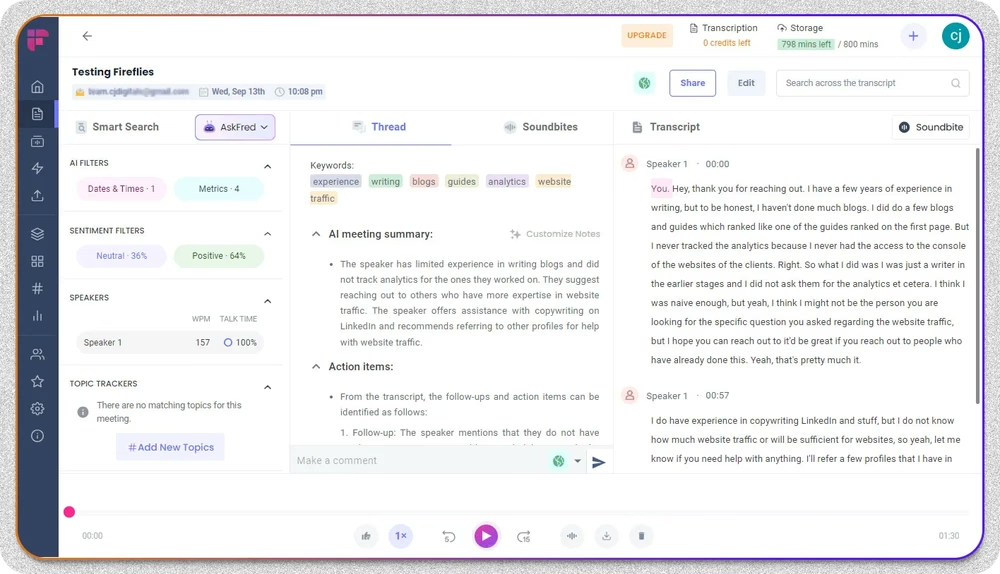
Fireflies.ai is an AI meeting assistant focused on automated transcription and short summaries. It is positioned as an affordable alternative to enterprise platforms, with a strong free tier that makes it popular among startups and SMBs.
What Fireflies.ai covers:
Automated Transcription: Records and transcribes meetings across major video platforms.
AI Summaries: Short, structured summaries with key points and action items.
Search and Topic Tracking: Find specific terms and themes across all meetings.
Use-Case Templates: Customizable for different roles and industries.
Free Tier: Functional free plan for individuals and small teams.
Where Fireflies.ai works well:
Affordable pricing with a strong free tier.
Excellent search and topic tracking across meetings.
Customizable use-case templates for different teams.
Where Fireflies.ai falls short:
Limited deal intelligence and revenue analytics.
Not built for mid-market or enterprise revenue teams.
Coaching workflows are minimal.
Best For:
Startups and SMBs that need affordable, automated transcription and summaries without enterprise-grade revenue analytics.
Fireflies.ai's pricing and how it is structured:
Free plan available. Paid plans start at $10 per user per month. See our Fireflies pricing breakdown for full details.
9. Jiminny: Best for Coaching-First Conversation Intelligence
Jiminny is a coaching-first conversation intelligence platform built for sales enablement and coaching teams. It puts coaching workflows at the center of the product rather than treating it as an afterthought, which sets it apart from most enterprise revenue intelligence platforms.
What Jiminny covers:
Coaching Workflows: Structured coaching plans, scorecards, and rep development tracking.
Call Recording and Analytics: Standard transcription and conversation insights.
Playbook Reinforcement: Connects calls to playbooks and best practices.
CRM Integrations: Syncs with Salesforce, HubSpot, and other CRMs.
Performance Tracking: Trends and skill development across reps.
Where Jiminny works well:
Coaching is built into the platform rather than treated as a feature.
Strong fit for enablement leaders who want structured rep development.
Solid CRM integrations and call analytics.
Where Jiminny falls short:
Limited forecasting and advanced revenue analytics compared to enterprise platforms.
No structured roleplay or practice environment to pair with coaching insights.
Implementation and adoption can take time for larger teams.
What sets Jiminny apart:
Jiminny prioritizes coaching in a way most conversation intelligence platforms do not. For enablement teams that want structured workflows for reviewing calls, scoring reps, and reinforcing best practices, it fills a real gap. The limitation is that coaching insights stop at the call review stage. There is no AI roleplay layer where reps can practice the same scenarios before going live.
Best For:
Sales enablement and coaching teams who want a coaching-first conversation intelligence platform without the complexity of full enterprise revenue suites.
Jiminny's pricing and how it is structured:
Jiminny does not publish pricing. Contact their sales team for a custom quote.
10. Fathom: Best for Free Video Meeting Capture and Summaries
Fathom is a video-focused meeting capture tool that turns conversations into searchable highlights and summaries. It is positioned as a free, easy-to-use option for startups and growing teams that need basic conversation capture without enterprise complexity.
What Fathom covers:
Video Meeting Capture: Records and summarizes Zoom, Google Meet, and Teams calls.
AI-Generated Highlights: Surfaces key moments and action items.
Free Plan: Functional free tier for individuals and small teams.
Quick Setup: Live within minutes, no admin required.
Basic Sharing: Share clips and summaries via email or Slack.
Where Fathom works well:
Strong free tier and low barrier to entry.
Simple setup with quick time-to-value for small teams.
Decent quality summaries for general business meetings.
Where Fathom falls short:
Minimal deal intelligence and structured coaching capabilities.
Not suited for mid-market or enterprise revenue teams.
Limited integration depth compared to dedicated revenue platforms.
Best For:
Startups and growing teams that need free or low-cost meeting capture without sales-specific revenue analytics.
Fathom's pricing and how it is structured:
Free plan available. Paid plans start at $24 per user per month for advanced features. See our Fathom review and alternatives guide for more details.
How to Pick the Right Conversation Intelligence Software
The right tool depends on what your team is trying to solve first. Here is a quick guide based on the most common scenarios.
1. If you mainly need transcription and meeting notes: Otter.ai, Fireflies.ai, and Fathom all do this well. Avoma is a step up if you need follow-up automation and CRM sync.
2. If you want forecasting and pipeline visibility at the executive level: Gong, Clari Copilot, and Chorus are the strongest enterprise options. Each comes with significant cost and implementation time.
3. If your priority is structured coaching for sales enablement: Jiminny is purpose-built for this. Outdoo AI goes further by combining coaching insights with AI roleplay so reps can practice the exact scenarios they just heard live.
4. If you need conversation intelligence inside outbound engagement workflows: Salesloft makes sense if engagement automation is your primary need.
5. If you want a closed-loop system tying training to live execution: Outdoo AI is the only platform on this list that combines AI roleplay, coaching, conversation intelligence, and revenue intelligence in one system. The same scorecard runs across both practice sessions and live calls.
6. If you handle complex, multi-stakeholder deals: Outdoo's multi-persona roleplays let reps practice with up to 3 stakeholders at once, simulating how enterprise deals actually unfold.
Bottom line: If you want one platform that captures conversations, surfaces deal signals, and helps reps actually improve before the next call, Outdoo is the strongest all-around choice. It is the only system on this list that closes the loop between practice and live execution.
Final Thoughts
Conversation intelligence in 2026 is no longer about whether you can record and transcribe a call. That layer is solved. The real differentiator is whether the platform helps your team act on what was said.
If your team is small and mostly needs cleaner meeting notes, lightweight tools like Otter, Fireflies, or Fathom will do the job. If you are an enterprise revenue org that needs forecasting and deal inspection, Gong, Clari, and Chorus are proven options.
But if your goal is to actually improve how reps perform on the next call, you need a system that connects insights to execution. That is where the category is heading, and where Outdoo brings something different to the conversation: AI roleplay, coaching, conversation intelligence, and revenue intelligence working together as one closed loop.
Book a demo to see how Outdoo AI can help your team turn conversation insights into measurable performance improvement.
Practice the Hard Conversation Before the Real One
Outdoo builds AI Roleplays from your own calls and scores practice and real calls with one scorecard. Rated #1 for Best Results on G2.
Conversation intelligence software records sales and customer calls, converts them into transcripts, and analyzes them for insights. It helps teams understand talk ratios, customer intent, and deal risks to improve performance.
2. What features should the best conversation intelligence platform have?
It should offer accurate recording and transcripts, deep conversation analytics, keyword tracking, and seamless CRM integrations. Advanced platforms also provide deal intelligence and coaching insights for revenue teams.
3. Which conversation intelligence tool is best for enterprises?
Tools like Gong, Clari Copilot, Chorus, and Outdoo are commonly used by enterprise teams. Outdoo stands out by combining deal intelligence and structured sales coaching in one unified platform.
4. Are there conversation intelligence tools for small teams or startups?
Yes, tools like Otter.ai, Fireflies.ai, Jiminny, and Fathom are often suitable for SMBs and early-stage teams. They focus more on note-taking and basic insights rather than advanced deal intelligence.
5. How does Outdoo help improve sales performance?
Outdoo improves sales performance with conversation insights, deal health tracking, and structured coaching. It also offers AI roleplay to help reps practice real scenarios and perform better in live deals.